
The fastest way to duplicate an item is the Copy row action. It is available in both editions and skips every preparation step: it copies everything and opens the new draft in the editor.
Where to find it: in the content lists of your WordPress admin (Posts, Pages, Products and custom post types), when you hover over an item.
Copy an item
- Open the list that contains the item, for example Pages.
- Hover over the item and click Copy.
- Clonex creates the copy as a draft and opens it in the editor.
- Change what should differ, then publish the copy when you are ready.
The Copy link appears only for users who can edit that item.
What the Copy action copies
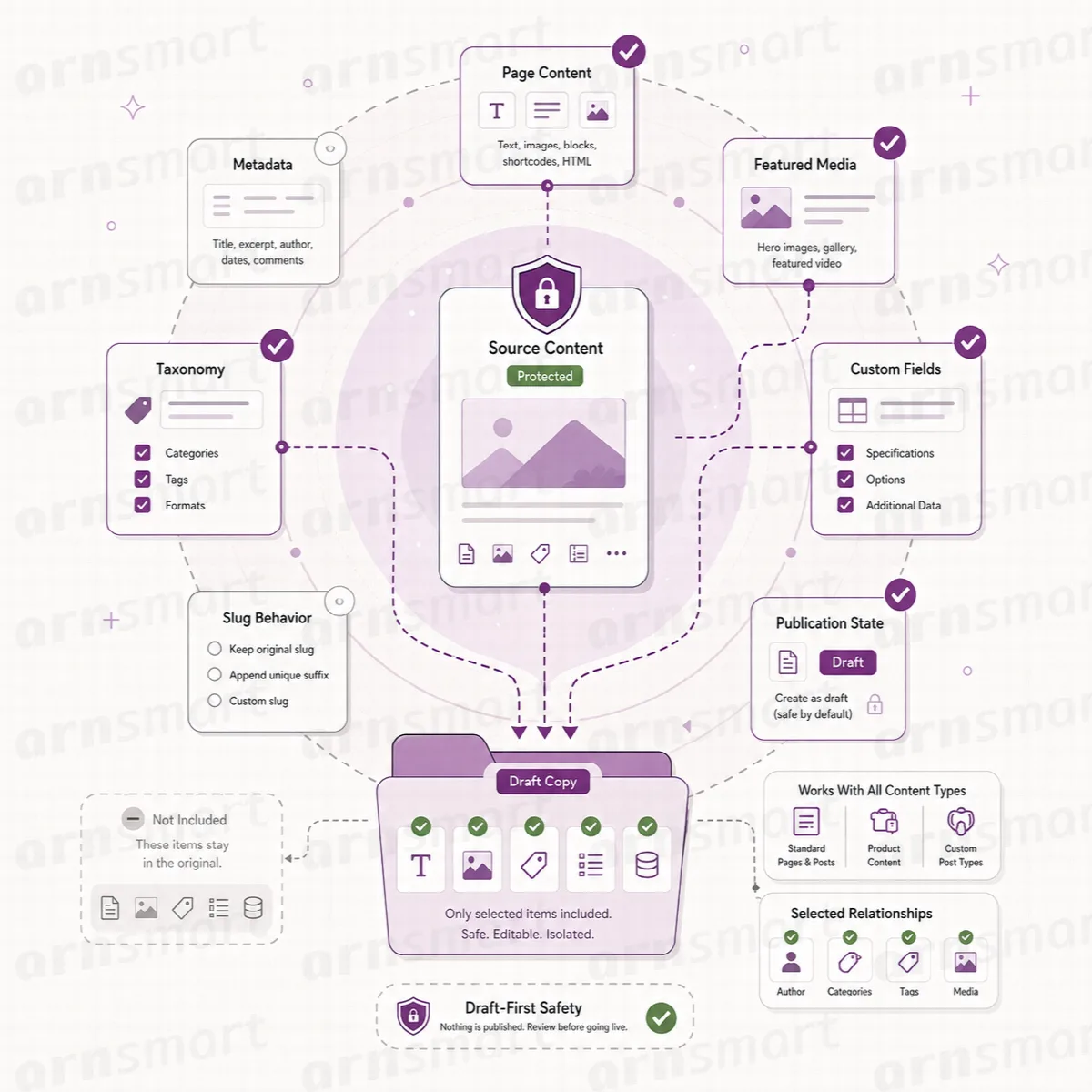
The Copy action makes an exact copy. The draft gets:
- the title with "(Copy)" added (in Clonex Pro, the Title Pattern from Settings), the content and the excerpt;
- the featured image;
- categories, tags and custom taxonomy terms;
- custom fields, ACF fields and SEO fields;
- builder data, such as the Elementor layout and page settings;
- the parent page and a page password, if the source has them.
Clonex does not copy edit locks, old slugs or its own tracking fields. For Elementor pages, Clonex clears the generated styles of the copy, so Elementor builds fresh styles for the new page. The slug of the copy is derived from its title, and WordPress keeps every slug unique.
Because the copy is exact, links inside the copy still point where the source's links point. To point links between items copied together at their copies, copy them in one run with (Pro) Bulk Duplicate; see Layouts, fields, terms and links in a copy.
Copies are independent
Every copy is a new WordPress record with its own ID, status and editing history, and it belongs to the user who created it. Clonex reads the source and writes only to the new record, so the original keeps its content, status and address. Editing, publishing or deleting the copy later does not change the source.
WooCommerce products
A product copy keeps the product's own fields, such as price, stock and gallery. Clonex copies the product record itself; the separate variation records of a variable product are not copied with it. Product duplication needs WooCommerce.
Other ways to start a copy
| Where | Use it when | Edition |
|---|---|---|
| Copy row action | You want an exact draft in one click | Free and Pro |
| Workflow screen (Free) or Simple Mode (Pro) | You want a different status, a new title or several copies | Free and Pro |
| Duplicate screen | You want to choose which parts the copy keeps, the slug and relationship options | Pro |
| Bulk Duplicate and Bulk Duplicate as Draft bulk actions | You want to copy several selected items from a list | Pro |