
Clonex is a WordPress plugin by ARN Smart. It duplicates pages, posts, WooCommerce products and custom post types into independent copies, created as drafts by default. The copy keeps the layout, fields, SEO fields and terms of the source, and the source itself stays unchanged.
Clonex Pro adds tools for larger sets: a step-by-step Duplicate screen, bulk duplication and bulk content changes, templates, variation profiles, datasets, Production jobs, URL imports and a Debug Console. From Clonex Pro 3.0.0 it also copies whole sites: a private staging copy of the site that you push back to live with a 7-day undo, and site copies on a multisite network.
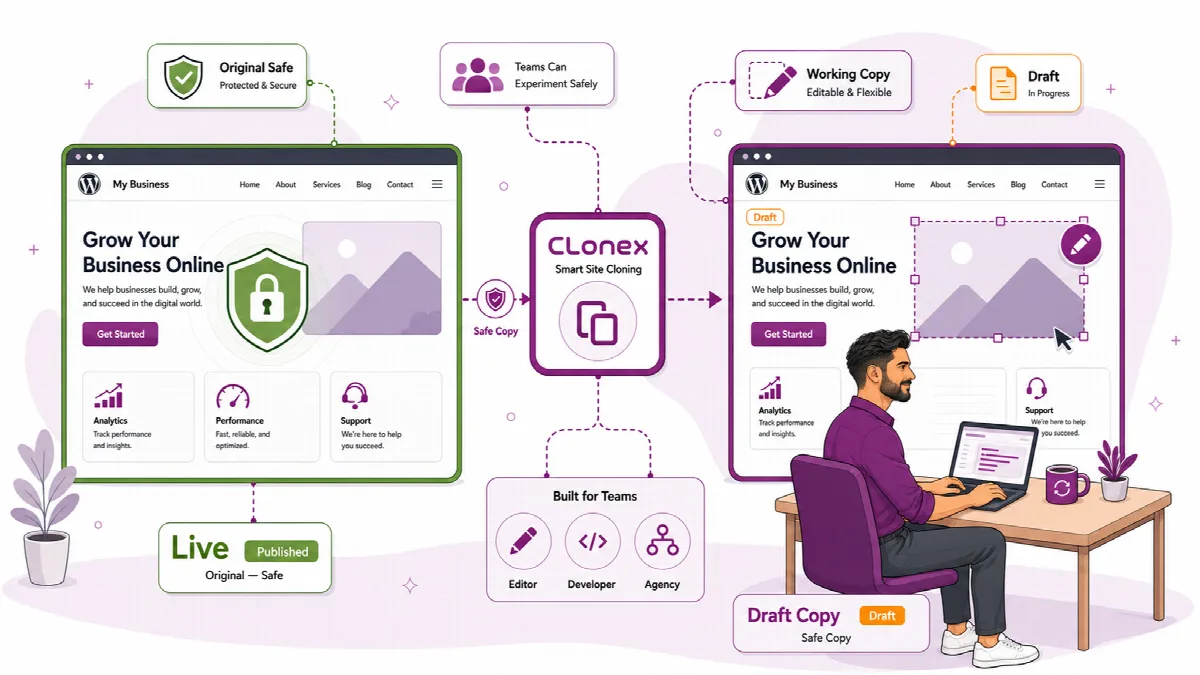
How Clonex works
- Select a source. Choose an existing page, post, product or custom post type item in the posts list, in Simple Mode or (Pro) on the Duplicate screen. You can also start from a public URL that you review first.
- Prepare the copy. Give the copy a new title, slug and status. In Clonex Pro you also choose which parts the copy keeps.
- Create the copies. Create one copy, up to ten copies of one item on the Clonex Free workflow screen or in Clonex Pro Simple Mode, or (Pro) connect a template to a dataset and produce a whole set of drafts in batches.
- Review and publish yourself. Open each copy in the editor, check it and publish it when you are ready.
Every copy is a new WordPress record with its own ID, status and editing history. Editing, publishing or deleting the copy never changes the source. Content copies are made within one site.
Whole-site copies (Pro)
- Staging (single sites): ARN Smart → ARN Clonex → Staging copies the whole site, files and database, to a private folder of the same site, such as
example.com/staging. Only administrators can open it. Push the parts you choose back to the live site, and undo the most recent push for 7 days. See Make a private staging copy of the whole site. - Network copies (multisite): under Network Admin → ARN Clonex, a network administrator copies a site to a new site of the network, takes a site out as a single WordPress site, or takes a single site on the same server into the network. See Copy, split out and bring in network sites.
Whole-site copies stay on your server. Clonex is not a backup or migration tool: it does not make downloadable backups and does not move a site to another server or host.
The two editions
Clonex Free is published on WordPress.org as ARN Smart Content Toolkit. It adds a Copy action to your content lists, a workflow screen for draft preparation, title changes, term moves and text replacement, and Similar Draft for preparing a draft from a public URL. It needs no account and no licence.
Clonex Pro is the plugin ARN Smart Clonex, available from arnsmart.com. It needs a licence, which you activate once per site (or once per multisite network).
Both editions appear as ARN Clonex in the WordPress admin menu. From Clonex Pro 3.0.0, Clonex Pro sits in the ARN Smart menu, above Appearance, as ARN Smart → ARN Clonex, next to ARN Center.
| Capability | Clonex Free | Clonex Pro |
|---|---|---|
| Copy action for pages, posts, products and custom post types | Yes | Yes |
| Layout, fields, SEO fields and terms kept in the copy | Yes | Yes |
| Up to 10 copies of one item, new title, term move and text replacement with a mini preview | Yes (workflow screen) | Yes (Simple Mode) |
| Draft from a public URL | Similar Draft, 3 saved drafts per day per site | URL Import without a daily limit, plus Bulk URL Import |
| Duplicate screen with copy parts, status, slug rules and relationship options | Not included | Included |
| Bulk Duplicate, Taxonomy Edit, Category Move and Content Replace | Not included | Included |
| Templates, variation profiles, datasets and Production jobs | Not included | Included |
| Check after each copy | Lighter check | Full check with a score, logged in the Debug Console |
| Debug Console, failed-item retry and operation history | Not included | Included |
| Staging copy of the whole site, push to live and 7-day undo | Not included | Included (single sites) |
| Network site copies | Not included | Included (multisite) |
| Optional removal of plugin data when the plugin is deleted | Yes | Yes |
| Account or licence | None | Licence with an ARNA activation code |
Elementor, WooCommerce and ACF features need those plugins on your site. Clonex itself sends no content to an AI provider. The AI settings screen that comes with it (Settings → ARN Free AI in Free, ARN Smart → ARN Center in Pro) is shared with other ARN Smart plugins.
About this documentation
This documentation describes Clonex Pro 3.0.0 and Clonex Free 1.1.2. Where one of them changed the behaviour of an earlier version, the article names the version. Features that only Clonex Pro offers are marked "(Pro)".