
Clonex Pro Settings define the starting point for every copy: the default status and title, how addresses are built and how links and relations are handled. Each screen can still override them for a single run.
Where to find it: ARN Clonex → Settings (administrators only).
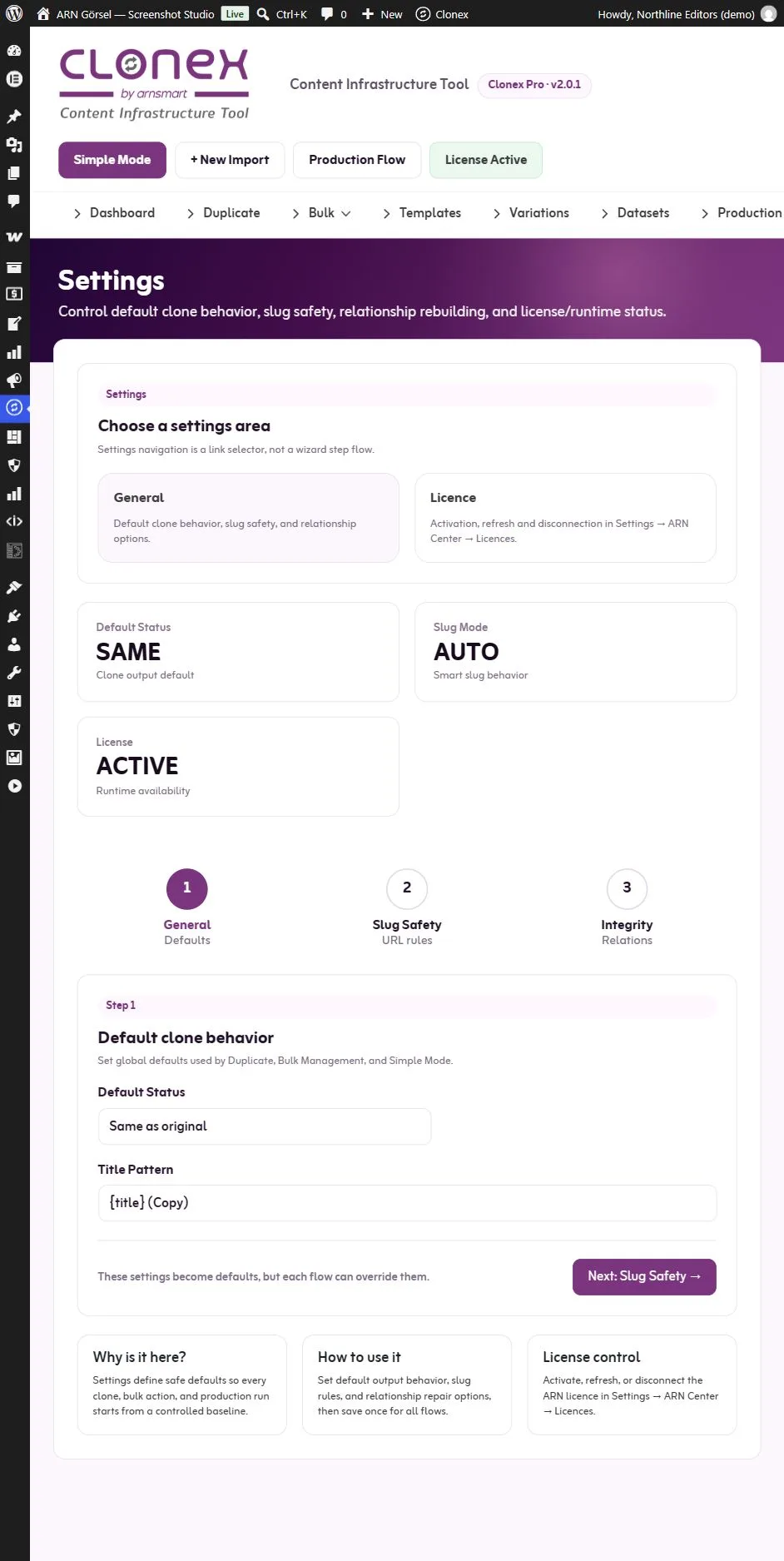
The top of the screen shows the current Default Status, Slug Mode and License state. The settings themselves are in three steps. Use Next and Back to move between them and click Save Settings in the last step.
Step 1 · General
| Setting | Default | What it does |
|---|---|---|
| Default Status | Same as original | The status preselected on the Duplicate screen and in Bulk Duplicate: Same as original, Draft, Pending Review or Publish. Simple Mode starts with it when it is Draft, Pending Review or Publish, and with Draft otherwise |
| Title Pattern | {title} (Copy) | The title of a copy when you do not enter a new title, also for the Copy action and Simple Mode. {title} is the title of the source. Production does not use it: generated drafts take the title of the template's source |
Note: With Same as original, a copy of a published page is published at once when your account may publish. Choose Draft if every copy should start as a draft.
Step 2 · Slug Safety
| Setting | Default | What it does |
|---|---|---|
| Slug Mode | Auto | How addresses are built when no new slug is entered |
| Slug Pattern | {title}-copy | The pattern used by the Pattern slug mode |
| Force lowercase slugs | On | Writes addresses in lowercase |
| Remove stop words | Off | Leaves short filler words out of addresses |
| Enable transliteration | On | Turns accented and special letters into plain letters |
| Protect reserved slugs | On | Adds "-copy" to addresses that WordPress or WooCommerce use themselves, such as cart, checkout, shop, login or wp-admin |
The Slug Mode list in Settings offers the same modes as the Duplicate screen: Auto, Keep Source Slug, Pattern and SEO Friendly. Pro 2.0.0 listed Original + suffix instead, which gave the same result as Auto; a site that saved it now shows Auto. Bulk Duplicate preselects the Slug Mode from Settings. See Duplicate with full control for all slug modes and pattern placeholders.
Clonex always keeps addresses unique: if an address is taken, a number is added.
Step 3 · Integrity
| Setting | Default | What it does |
|---|---|---|
| Rewrite internal links | On | Links to items copied in the same operation point to their copies |
| Rebuild parent / child | On | A child page copied with its parent is placed under the parent's copy |
| Fix WooCommerce relations | On | Upsells, cross-sells, grouped products and gallery images point to the copies |
| Delete all Clonex data when the plugin is deleted | Off | See Debug Console, plugin data and support |
These relationship options are the defaults for the Duplicate screen and the bulk actions in content lists. See Layouts, fields, terms and links in a copy.
Which status each screen uses
| Where | Status choices | Preselected |
|---|---|---|
| Copy action, Similar Draft (Free), URL Import (Pro) | Draft | Draft |
| Free workflow screen | Draft, Pending, Publish | Draft |
| Simple Mode (Pro) | Draft, Pending, Publish | The Default Status from Settings when it is Draft, Pending Review or Publish, otherwise Draft |
| Duplicate screen (Pro) | Same as original, Draft, Pending, Publish, Private | The Default Status from Settings |
| Bulk Duplicate in Bulk Management (Pro) | Same as original, Draft, Pending, Publish, Private | The Default Status from Settings |
| Bulk actions in content lists (Pro) | Same as each source, or Draft | Chosen by the action |
| Production (Pro) | Draft, Pending Review, Publish, Private, Scheduled | Draft |
| Bulk URL Import (Pro) | Draft, Pending Review, Private, Publish | Draft |
Always check the status in the screen you are using before you run it. A published, scheduled or private copy needs permission to publish that content type; otherwise Clonex refuses it. Changing the status of a copy afterwards is a normal WordPress action under your own permissions.
Licence
The Licence card on the Settings screen opens ARN Smart → ARN Center → Licences, where you activate, refresh or disconnect the Clonex Pro licence. See Activate your Clonex Pro licence.
Settings removed in Pro 2.0.1
Clonex Pro 2.0.0 showed a Clone Strategy option (on the Duplicate, Bulk Management, Templates and Settings screens) and a Conflict Strategy setting. Neither changed how copies are made, and both were removed in Pro 2.0.1. Copies always get a new name, and their slugs follow the slug settings.