
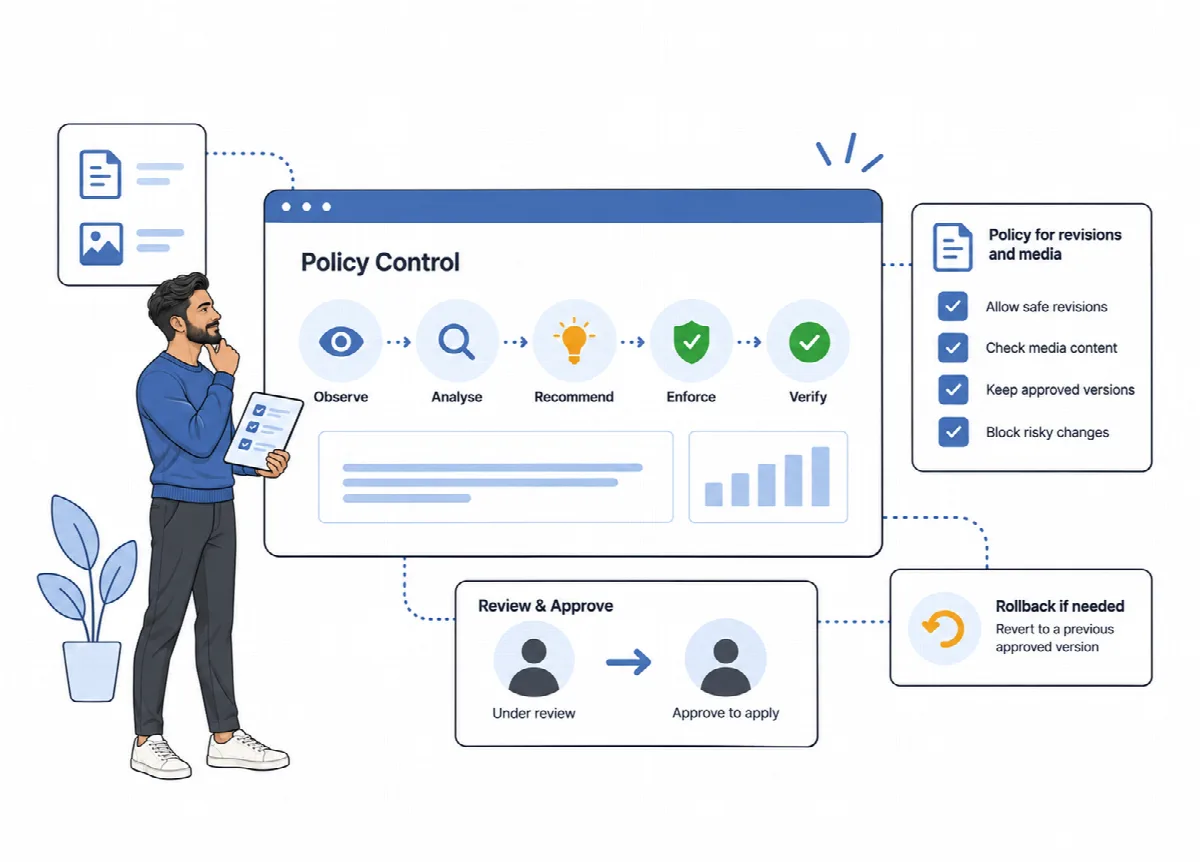
A cleanup removes what has already accumulated. A Smart Policy addresses why it accumulated, for example unlimited post revisions. DualFix observes the relevant signal, compares it with your threshold, recommends a change and, when you enable the policy, applies it through WordPress filters and actions instead of deleting the same data again and again.
Where to find it: ARN DualFix → Smart Policies (Pro). The page has the tabs WooCommerce Policies, WordPress Core Policies, Media Policies, Performance Policies and Policy History.
Policy types
| Tab | Examples |
|---|---|
| WordPress Core Policies | Limit stored revisions; Reduce admin heartbeat pressure; Clean expired transients opportunistically; Observe cron residue; Observe autoload bloat |
| Media Policies | Disable medium_large thumbnail generation; Disable extra large core thumbnails (the 1536x1536 and 2048x2048 sizes); Limit big image scaling threshold; Observe oversized uploads; Observe duplicate upload patterns; Observe stale attachment metadata; Preserve WebPix generated assets |
| Performance Policies | Observe options table growth; Observe postmeta growth; Observe autoload growth; Observe runtime pressure |
| WooCommerce Policies | Product field and product type decisions for the store profile, a product revision limit, and observation of variations and product lookups |
Observation-only policies only record signals for later recommendations. They never delete or change anything. The media prevention policies apply to future uploads only; they do not remove existing files.
Enable a policy
- Open the tab of the policy group.
- Read the description of the policy and, where offered, open Advanced settings (thresholds & safety) to set its thresholds.
- Turn the policy on and click Save Policy.
- Click Run Policy Verification at the top of the page. The verification checks that enabled policies are actually taking effect, not only switched on.
Policy enforcement changes how your site behaves. Review each recommendation before you enable it, and check the site afterwards.
The summary at the top of the page shows Policies Enabled, Medium/High Risk Active, Low Risk Active and the Last Change.
Review and roll back changes
The Policy History tab, Policy History and Rollback, has four parts:
| Part | What it shows |
|---|---|
| Analysis | Real signals compared against your own policy thresholds |
| Verification | Live checks that enabled policies are taking effect |
| Recommendations | Policy changes DualFix suggests for the current signals |
| Recent Changes | Every policy change, each with a Roll Back button |
Click Roll Back next to a change to return that policy to its state before the change. The Dashboard also shows the current Smart Suggestions.
Policies and WebPix
Preserve WebPix generated assets treats the WebP and AVIF files ARN WebPix generates as managed files, not orphan media, while WebPix is active. When ARN WebPix is active, it also manages the generated image sizes of your media library; see Clean up media with Media Hygiene (Pro).