
Visioix Pro has three kinds of experiments. Each compares the current version (Control) with one alternative (Variant B) and declares a winner only when there is enough data.
| Experiment | What it tests | Where to start |
|---|---|---|
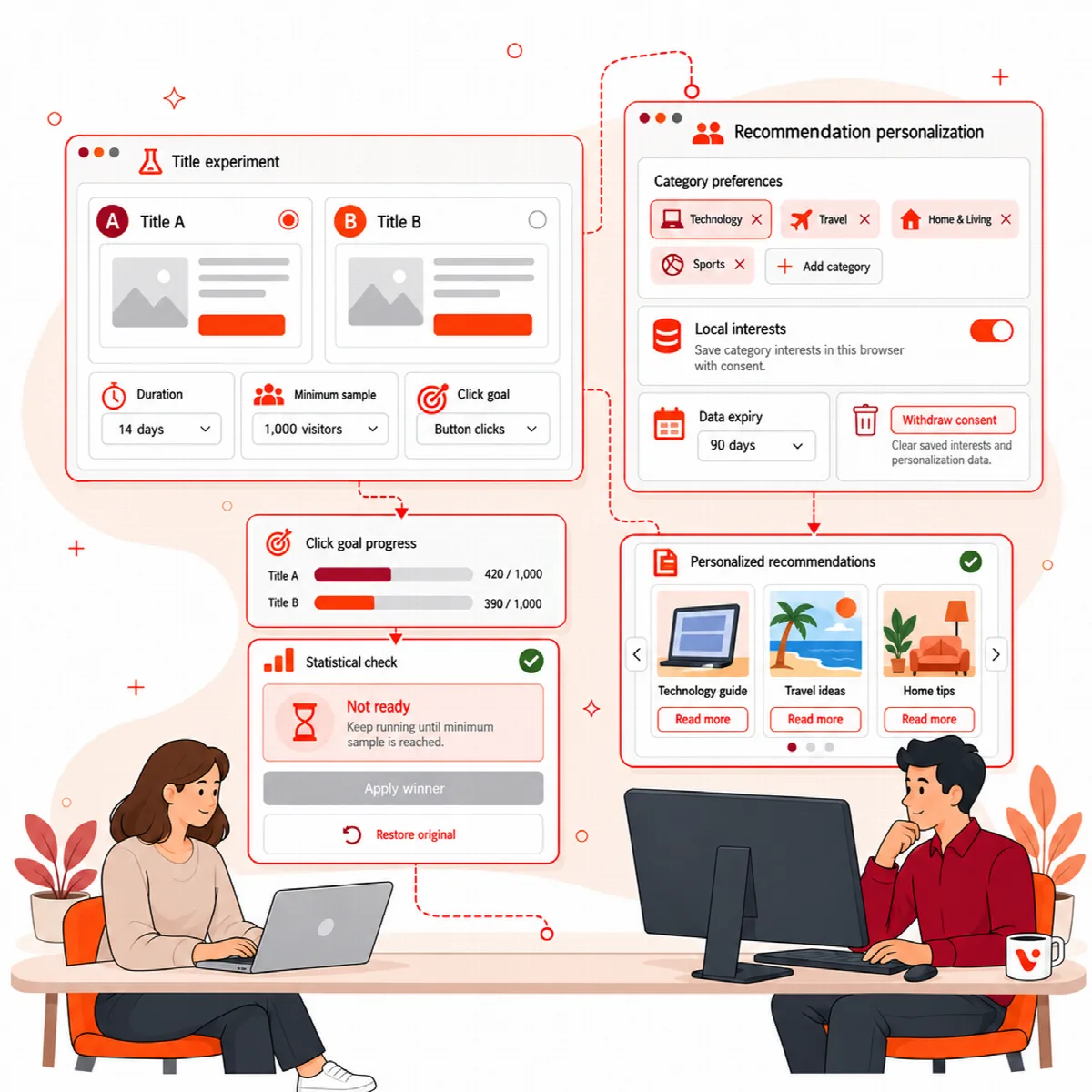
| Title experiment | A page or post title against one click goal on the page | Growth Intelligence → Controlled automation |
| Visitor A/B Testing | A published form: question, headline, button, color, layout, trigger or step | Visitor Intelligence → A/B Testing |
| Website A/B Testing | A published page, post or product: title, meta data, CTA, content, layout, links or mobile experience | Website Intelligence → A/B Testing |
Before you start any experiment
- Exclude the pages you test from full-page and CDN caching. A cached page would show every visitor the same version and spoil the measurement.
- Change one thing at a time, and define the goal before the test starts.
- Do not edit the tested page while the experiment runs. Visioix checks the saved baseline before it applies a winner.
Title experiments
- Open ARN Visioix → Growth Intelligence → Controlled automation.
- Choose the Published target and enter the Variant title (up to 200 characters, different from the current title). Draft title alternatives with AI suggests titles.
- Enter the Click goal selector: one
#idor.classthat matches exactly one clickable element in both versions, for example#contact-button. - Set the Fixed duration in days (7–90, 14 by default).
- Optionally select Publish the verified winner automatically after the fixed horizon.
- Click Prepare controlled experiment. This creates a draft.
- Click Open Website Experiments to review and start drafts, open the draft in Website A/B Testing and click Start experiment.
The test measures clicks on your goal on your own site. It does not measure the organic click-through rate in Google Search Console.
Only visitors who are not logged in and have allowed measurement take part: the permission from the Recommendations block or your consent manager, never while Global Privacy Control is on. Everyone else sees the current title and is not counted. See Add the Recommendations block.
No winner is published before the fixed duration ends. Automatic publication needs attributable goal events, at least 100 visitors and 10 goal clicks for each variant, a single leader and 95% confidence. Permission, editor locks and the saved content are checked again first. If the result is not clear, it stays inconclusive; 14 days does not guarantee a winner.
After a title was published by an experiment, Restore only this experiment's applied fields puts the previous title back. If the field was edited afterwards, restore it manually in the editor.
Visitor A/B Testing
- Open Visitor Intelligence and click A/B Testing, then Create experiment.
- Fill in the Experiment name, the Test type (Question, Headline, CTA, Color, Layout, Trigger or Form step), the Published form and the Primary metric (Open rate, Completion rate, Conversion rate or Contact rate).
- Set the Maximum traffic allocation (%), Starts at and Ends at. Automatically apply a verified winner is off by default.
- Click Save draft. Visioix creates the Control and Variant B. The Control keeps the exact published form, design, display rules and trigger rules.
- Build Variant B and click Save new variant version.
- Under Experiment lifecycle, click Start. You can Pause or Complete it later.
The results show Views, Opens, Completions, Conversions and the rates for each variant, counted only from Visioix visitor events. Each variant needs at least 100 eligible visitors and 10 primary outcomes before a winner can be declared. Segment results by device, visitor type and trigger are descriptive only.
When a winner is verified, Apply winner and close experiment publishes Variant B as a new form version, or keeps the current form if the Control wins.
Website A/B Testing
- Open Website Intelligence and click A/B Testing, then Create website experiment.
- Choose the Test type: Page title, Meta title, Meta description, CTA, Landing page content, Page layout, Product presentation, Content variant, Internal link arrangement or Mobile experience.
- Choose the Published website target (a page, post or product), the Primary metric (Engagement rate, Sessions, Views, Bounce rate, Clicks, Impressions, CTR or Average position), the traffic allocation and the schedule.
- Click Save website draft. The Control locks the published title, content, excerpt, permalink, modification time and detected SEO metadata.
- In the Variant B builder, fill in the fields for your test type, such as Page title, Meta description, CTA CSS selector, CTA label, Internal links HTML, Mobile-only CSS or Variant content. Click Save new Variant B version.
- Click Start experiment. You can Pause experiment, Resume experiment or Complete experiment.
While the experiment runs, visitors are split 50/50 and Variant B is shown only to assigned visitors; your published content is not overwritten. Results use attributed Visioix events. Google data from Site Kit is shown for the whole URL as context, because both variants share one address; metrics that cannot be attributed to a variant never declare a winner.
Apply winner and close experiment applies the verified winner, creates a revision you can return to and closes the experiment.