
Linkix Pro can replace the address of a post or page with a path you choose, such as /summer-sale/ or /knowledge/sample-post/, and adds a canonical tag that tells search engines which address is the primary one. Linkix Free keeps the WordPress permalink of each post.
Where to find it: ARN Linkix → Permalinks, ARN Linkix → Canonical, ARN Linkix → Settings → Routing & canonical, and the Linkix URL Panel in the post editor.
Set a custom permalink in the post editor
- Open the post or page in the editor.
- In the Linkix URL Panel, enter a relative path in Custom Permalink, for example
/knowledge/sample-post/. - Click Save Permalink.
The panel's Permalink status changes to Custom, and Main URL and Primary URL show the new address. On posts built with Elementor the panel is not shown; use the Permalinks screen instead.
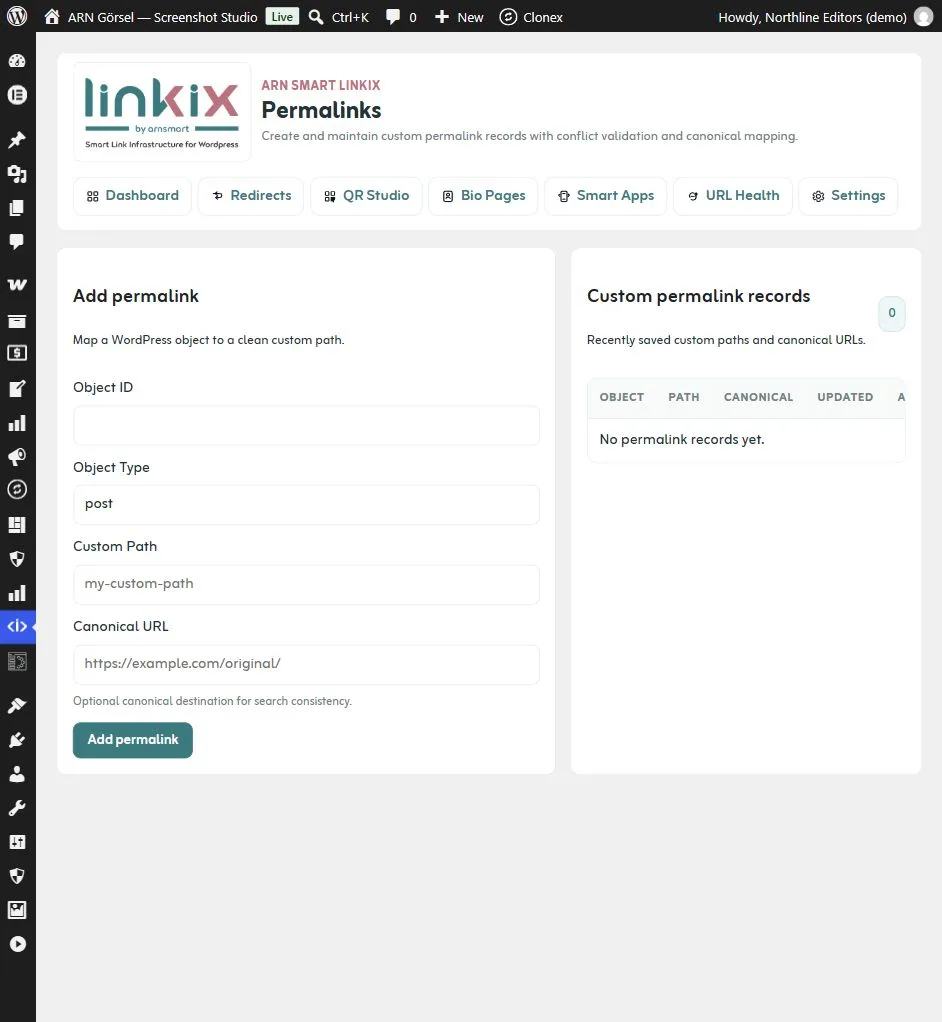
Set a custom permalink on the Permalinks screen
- Find the ID of the post: open it in the editor and look at the address bar, for example
post.php?post=123. - Open ARN Linkix → Permalinks.
- Enter the Object ID (
123) and the Object Type, which is the post type of that post, such aspostorpage. A type that does not match the post is refused with a message that names the right type. - Enter the Custom Path without the domain, for example
guides/visitor-info. - Optionally enter a Canonical URL (see "Canonical tags" below).
- Click Add permalink.
Add permalink works like Save Permalink in the editor: Linkix Pro also adds the 301 redirect rule from the previous address to the custom address.
The Custom permalink records list shows each record with Edit and Delete. When you edit a record and change its Object ID to another post, the path moves to that post and the previous post returns to its own WordPress address.
What a custom permalink changes
- Post lists, menus and other WordPress links point to the custom address.
- A path already used by another post, a reserved path or the source path of an active redirect rule is refused, so two pages never compete for one address.
- Visitors who open the old WordPress address are redirected (301) to the custom address while Redirect legacy requests to the primary URL is on (the default). When you save the custom permalink in the Linkix URL Panel, Linkix Pro also adds a 301 redirect rule from the previous address to the custom address; it appears in the Redirects list.
- Short links that belong to the post follow the new address.
- Only published posts answer at their custom path. The custom path of a draft, a trashed post or a deleted post returns "not found" instead of the front page. A trashed post keeps its path for when it is restored; a permanently deleted post releases it, so another post can use it.
Reset or remove a custom permalink
- In the editor: click Reset in the Linkix URL Panel and confirm. The post returns to its WordPress address, and that address no longer redirects to the old custom path. Linkix Pro adds a redirect rule from the old custom path to the WordPress address, so links that visitors saved keep working.
- On the Permalinks screen: click Delete next to the record and confirm. Delete works like Reset in the editor: the post returns to its WordPress address and Linkix Pro adds the redirect rule from the old custom path to it.
After a Reset or Delete, you can give the same path to the same post again.
Canonical tags
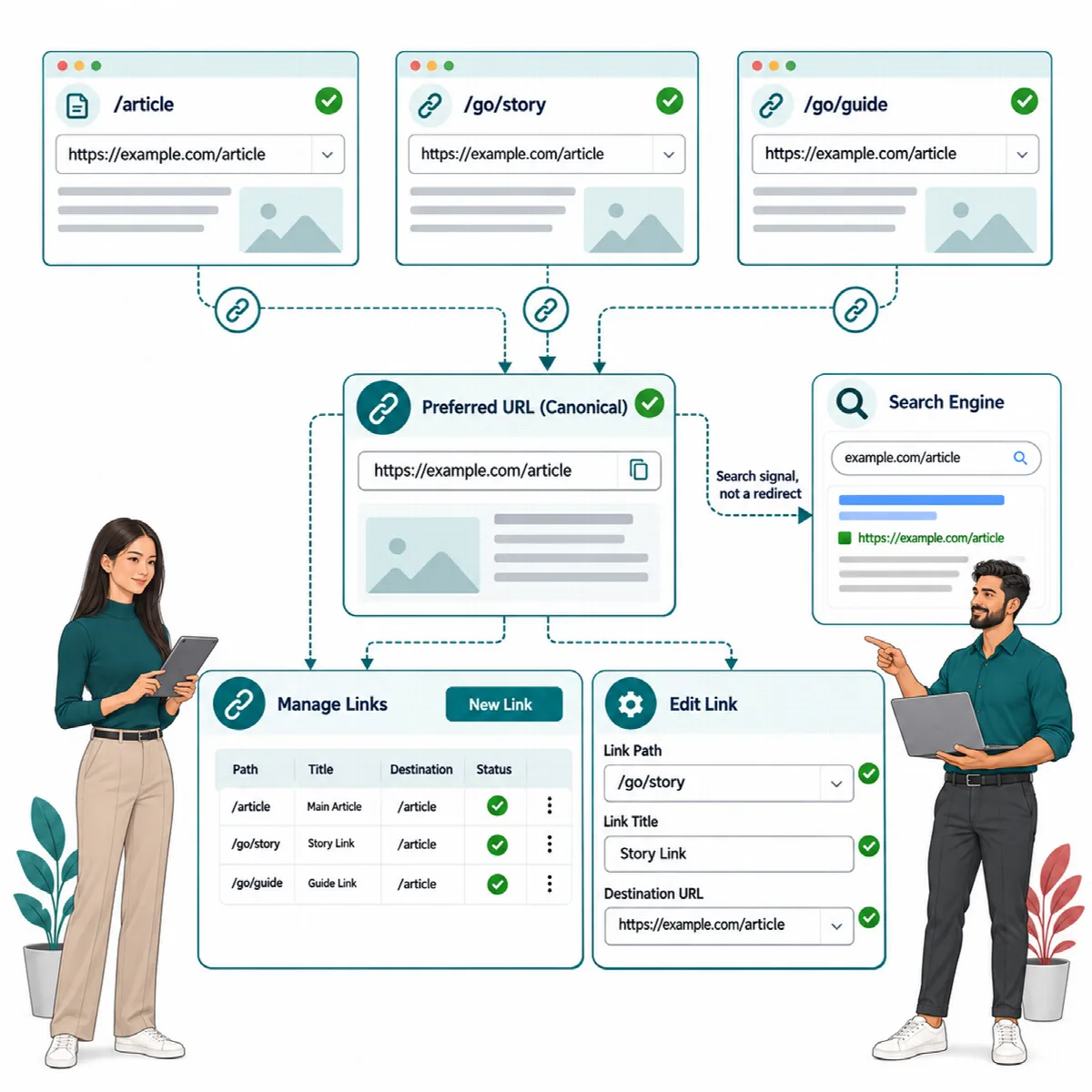
With Enable canonical management on (the default), Linkix Pro adds a <link rel="canonical"> tag to single posts and pages. It points to the primary address of the post: the custom permalink when one is set and Prefer custom permalinks when available is on, otherwise the WordPress permalink.
- When the post's record on the Permalinks screen has a Canonical URL, the canonical tag uses that address exactly as entered. Only
httpandhttpsaddresses are used, and only while the Permalinks module is on. Visitors who open an old address are still redirected to the post's primary address, not to the Canonical URL. Saving the custom permalink in the editor keeps the Canonical URL. - Short links and redirect source paths are never canonical addresses. They route traffic but are not the address you ask search engines to index.
- Tracking parameters are left out of the canonical address.
- Page 2 and later of a post split into pages, and the embed view of a post, open normally: the legacy redirect does not send them to the post's first page.
One canonical tag per page. When Vendix (Pro or Free) prints the SEO tags of the post, or Yoast SEO, Rank Math, All in One SEO, SEOPress or The SEO Framework is active, that plugin prints the canonical tag and Linkix adds none. Otherwise Linkix prints the tag and removes the one WordPress adds itself. Open a post and view the page source to check which tag is printed.
How search engines use the canonical signal is decided by the search engine, not by the plugin.
Routing & canonical settings
Open ARN Linkix → Settings → Routing & canonical:
| Setting | Default | What it does |
|---|---|---|
| Enable canonical management | On | Adds the canonical tag and allows legacy redirects |
| Prefer custom permalinks when available | On | Uses the custom permalink as the primary address |
| Strip tracking parameters from canonical output | On | Removes the parameters listed under Tracking parameters |
| Preserve functional parameters in canonical output | On | Keeps the parameters listed under Functional parameters |
| Redirect legacy requests to the primary URL | On | Sends visitors from an old post address to the primary address |
| Redirect even when only the query string differs after cleanup | Off | Also redirects when only removable parameters differ |
| Unknown parameter policy | Preserve unknown parameters | Or Strip unknown parameters |
| Shortlink parameter policy | Pass through query parameters | Or Ignore query parameters for short links |
The default Tracking parameters are utm_source, utm_medium, utm_campaign, utm_term, utm_content, fbclid, gclid, dclid, msclkid, mc_cid, mc_eid, ref, ref_src, igshid and replytocom. The default Functional parameters are page, paged, orderby, order, sort, filter, lang, s, tab and view. Enter one parameter per line.
Before you strip unknown parameters, test pages whose content depends on filters, sorting, language or other query values.
The Canonical screen
ARN Linkix → Canonical shows the current policy (Canonical Engine, Custom Permalinks, Functional Params, Unknown Policy) and a live example: an address with tracking and functional parameters, the canonical-safe version Linkix makes of it and how each parameter is classified. Change the rules in Settings → Routing & canonical.