
Ticketix is a self-hosted customer support platform by ARN Smart. It brings a customer portal, ticket management, email, a Knowledge Base, community discussions, SLA policies, automation, optional AI assistance and reporting into one installation that runs on your own server.
Ticketix is a standalone PHP application. It is not a WordPress plugin, and there is no Free and Pro split: every feature described in this documentation is part of the same licensed product.
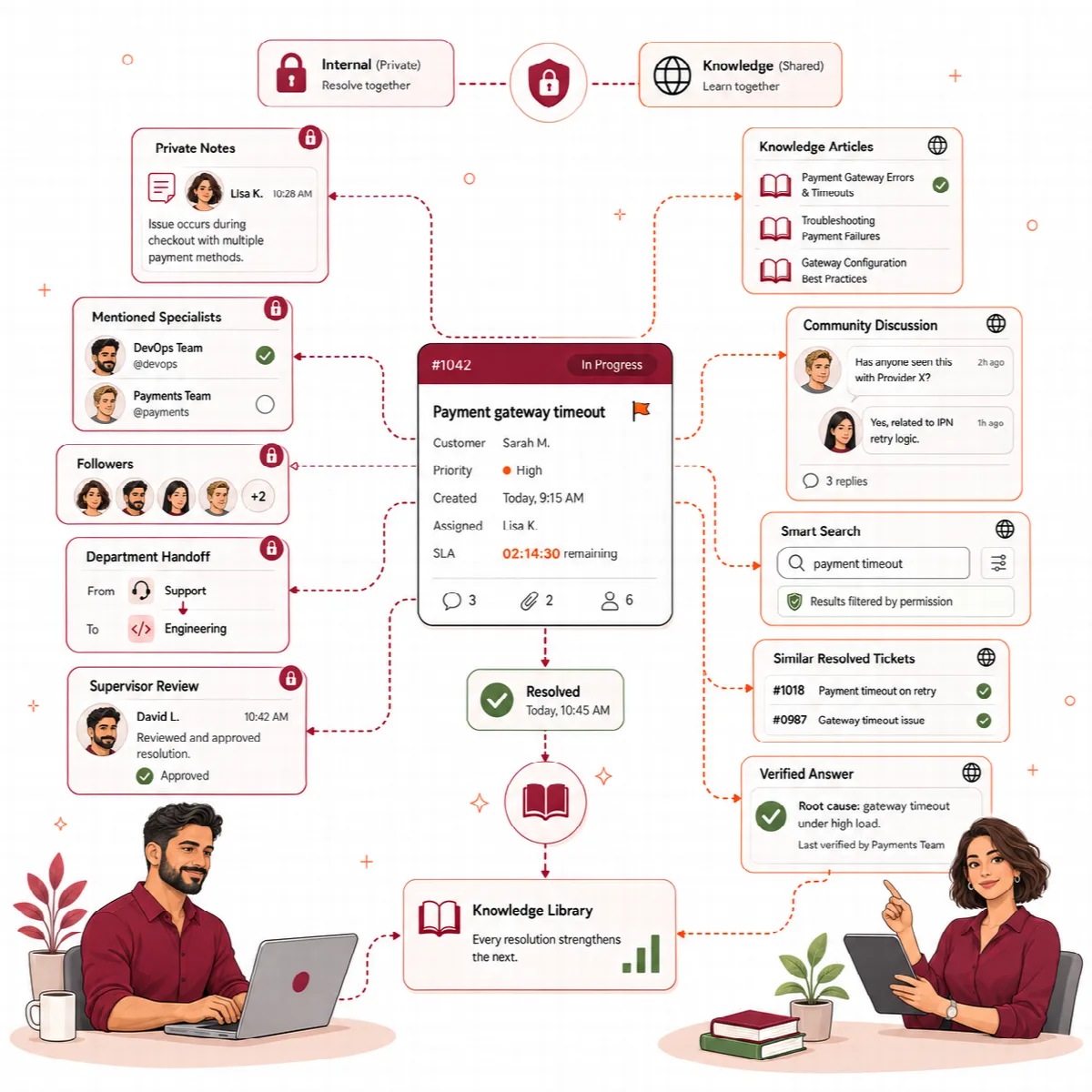
What Ticketix includes
| Area | What you get |
|---|---|
| Ticketing | Numbered tickets with product, category, priority, status, assigned agent, conversation, internal notes and an activity timeline; shared lists with saved views and bulk actions |
| Incoming mail becomes tickets or replies; outgoing mail is sent over SMTP from your own mailbox | |
| Customer portal | Search, ticket submission with or without an account, ticket tracking, My tickets, article suggestions while a customer writes, announcements and ratings |
| Knowledge Base | Articles in products and categories with review, scheduling, revisions, reader feedback, a translation in each portal language and a Markdown import |
| Community | Public topics and replies in the writer's language, with accepted solutions, a moderation queue and approval of guest posts |
| Search | Portal search for customers, and a search window (Ctrl K) and a full search for staff |
| SLA and automation | Response and resolution targets with business calendars, routing rules, workflows and team assignment |
| AI (optional) | Summaries, reply drafts, translation and triage suggestions with your own AI provider key |
| Reporting | Volume, median first reply, resolution times, SLA risk, customer satisfaction, questions solved without a ticket, tickets after a release, content gaps, saved and scheduled reports |
| Your own applications | A ticket API that opens tickets with technical details, and release notes for each product version |
| Languages | The portal in English, Arabic, Turkish, Japanese and German, the administration in English, Turkish and Arabic, with a right-to-left layout for Arabic |
| Administration | A dashboard with staff notes, branding, light and dark theme, forms and custom fields, roles, two-factor authentication and tools |
How a request moves through Ticketix
- Collect. A customer writes from the portal, from the public ticket form, by email or from one of your own applications through the ticket API. The request becomes a ticket with a number such as
SUP-000123. While a customer types the subject in the portal, Ticketix suggests up to three Knowledge Base articles; if one solves the problem, no ticket is opened. - Organize. Status, priority, category, SLA policies, routing rules, workflows and team assignment place the ticket in the right queue. Optional AI triage suggests a category, priority and tags for an agent to apply or dismiss.
- Resolve. Agents reply with formatted text, canned replies and attachments, add internal notes and hand the ticket over with a summary. When the ticket closes, the customer gets one email with a link to rate the support.
- Learn. Answers become Knowledge Base articles, accepted community solutions can be turned into article drafts, and reports show volume, response times, satisfaction, searches that found nothing and recurring problems.
Who uses Ticketix
- Administrators set up the installation, branding, email, products, forms, SLA, automation, AI and the team. They see every ticket.
- Agents work on the tickets assigned to them, shared with them or sent to them for review, and on the Knowledge Base and community.
- Customers use the portal: they open and follow their own tickets, read articles and take part in the community.
See Agents, customers, roles and permissions for the details.
What runs on your side
Ticketix keeps customer data, ticket history and knowledge in your database and in the storage folder on your server. You provide:
- a server with PHP 8.3, 8.4 or 8.5 and a MySQL database;
- a mailbox reachable over IMAP and SMTP;
- a scheduled task (cron) that runs
php scripts/cron.php; - for AI features only, an API key from OpenAI, Anthropic, Google Gemini, DeepSeek or an OpenAI-compatible server.
Ticket text leaves your server only through your mail server and, if you turn AI on, to the AI provider you connect. The licence check and the update check contact ARN Smart over HTTPS.
About this documentation
This documentation describes Ticketix 2.3.2. Screen names, buttons and settings are written as they appear in the English interface. Paths such as Setup → Mail → Email templates start with Setup in the administration menu, then name the section and the entry of the setup sub-menu that every setup screen shows on its left. Paths such as Content → Knowledge Base name a menu group and its item.