
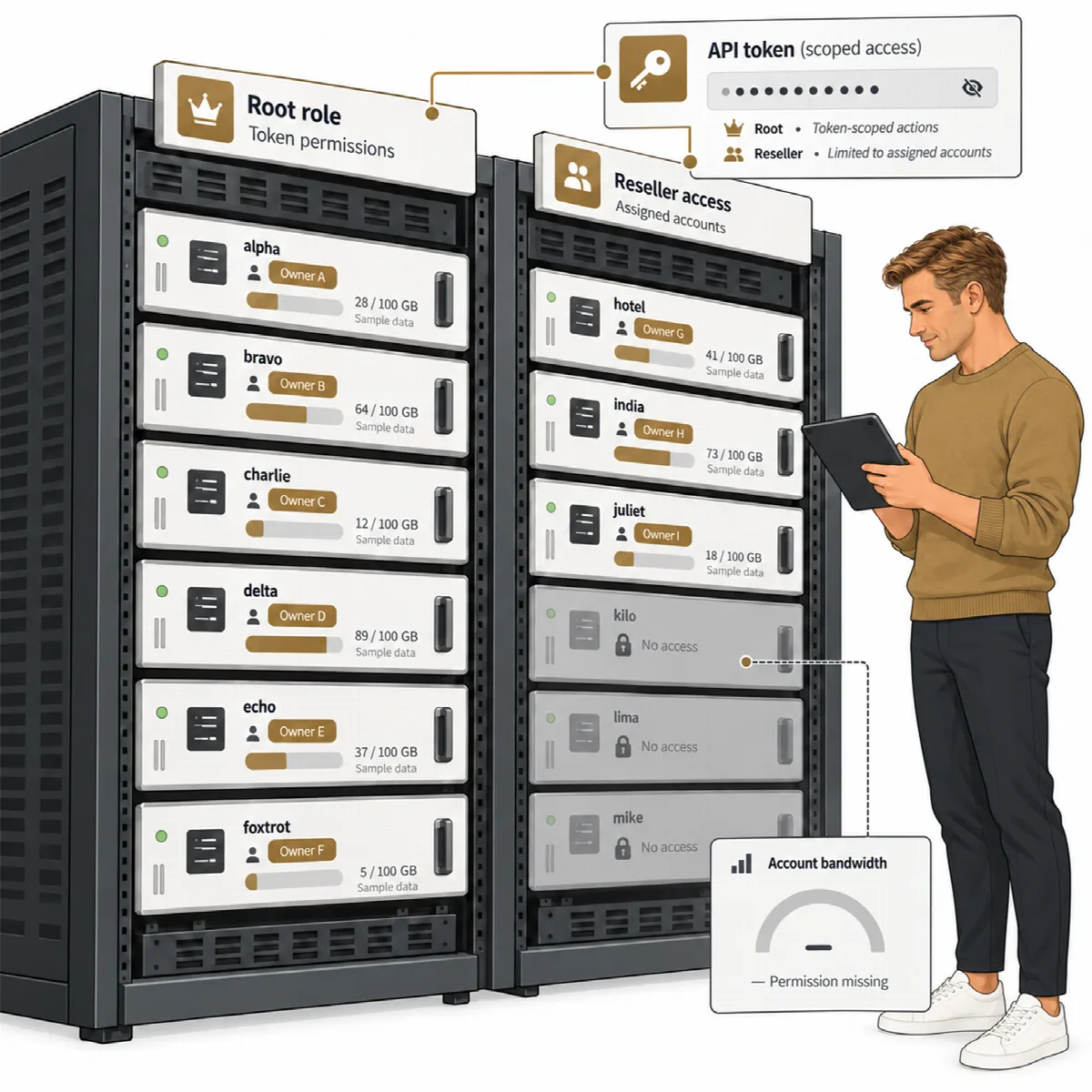
ARN Connect reads the cPanel accounts of your WHM servers with your own WHM API token. A root token sees every account on the server; a reseller token sees only the reseller's own accounts, as WHM enforces.
Where to find it: Hosting in the sidebar, with the tabs Accounts, SSL and Servers.
Before you start: create a WHM API token
Create the token in WHM → Development → Manage API Tokens and give it only the privileges ARN Connect needs. An IP restriction and an expiry date are recommended.
| Privilege | Used for |
|---|---|
List Accounts (list-accts) | Listing accounts |
View Bandwidth Usage (show-bandwidth) | Bandwidth |
Suspend/Unsuspend (suspend-acct) | Suspending and unsuspending accounts |
Terminate Accounts (kill-acct) | Only if accounts may be terminated from ARN Connect |
Perform cPanel API and UAPI functions through the WHM API (cpanel-api) | SSL certificates and AutoSSL, and, with a root token, the bandwidth of accounts owned by resellers. This is a strong privilege. |
ARN Connect does not need a root password or WHMCS.
Add a server
- Open Hosting → Servers and click + Add server.
- Enter a Name, the WHM address (for example
server.example.com:2087), the WHM user (root, or the reseller user the token belongs to) and the API token. - Click Test connection. The result shows the role and the privileges of the token. Buttons for actions the token may not perform are disabled later.
- Click Add server.
The token is stored encrypted on your computer and is never shown again. Leave Allow a self-signed certificate (not recommended) off and use a valid certificate for the WHM host name, for example from AutoSSL. Local or test server is only for test servers on a private network.
On the Servers tab, each server has Sync now, Test, Edit and Remove.
Hosting accounts
Every server is synced every 30 minutes, and at once with Sync now or Sync all. The Accounts tab lists each account with its user, main domain, server, owner, plan, disk use and quota, bandwidth, status, start date, end date (Ends) and number of domains. Filter by server, owner and status, search, and sort by any column.
Each account has its own page with its domains (main, addon and parked), history and events. Link an account to a client, and bill it as a recurring service. See Products, recurring services and draft invoices.
Is this domain ours?
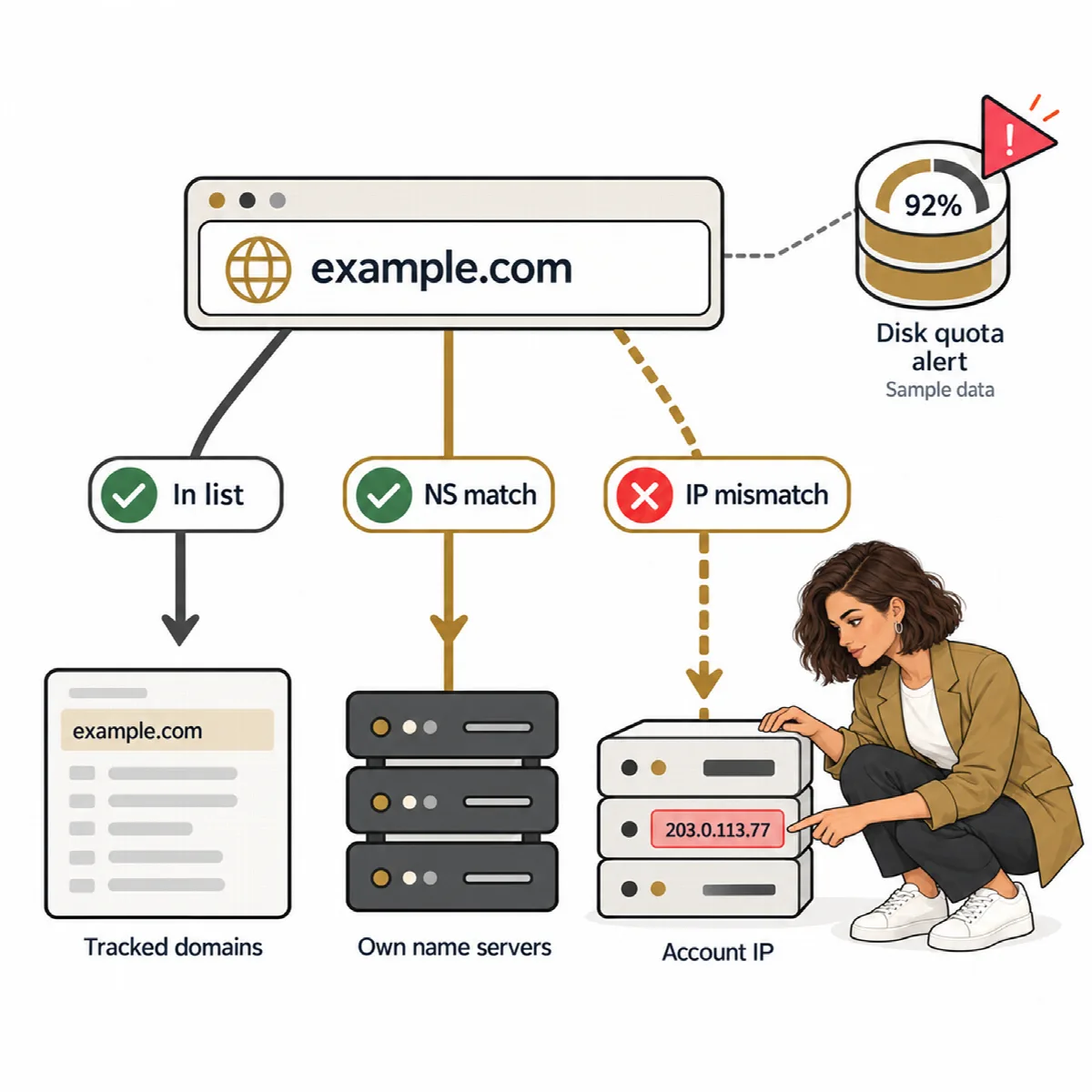
For every domain of an account, three badges answer whether the domain is really yours:
- Whether the domain is in your Domains list, with one-click adding.
- Whether its NS records point to your own name servers. List them in Settings → Hosting → Our name servers, one per line.
- Whether its A record points to the account's IP address.
The badges help you find domains that moved away, point elsewhere or are not tracked yet.
Suspend, unsuspend or terminate
| Action | How it is confirmed |
|---|---|
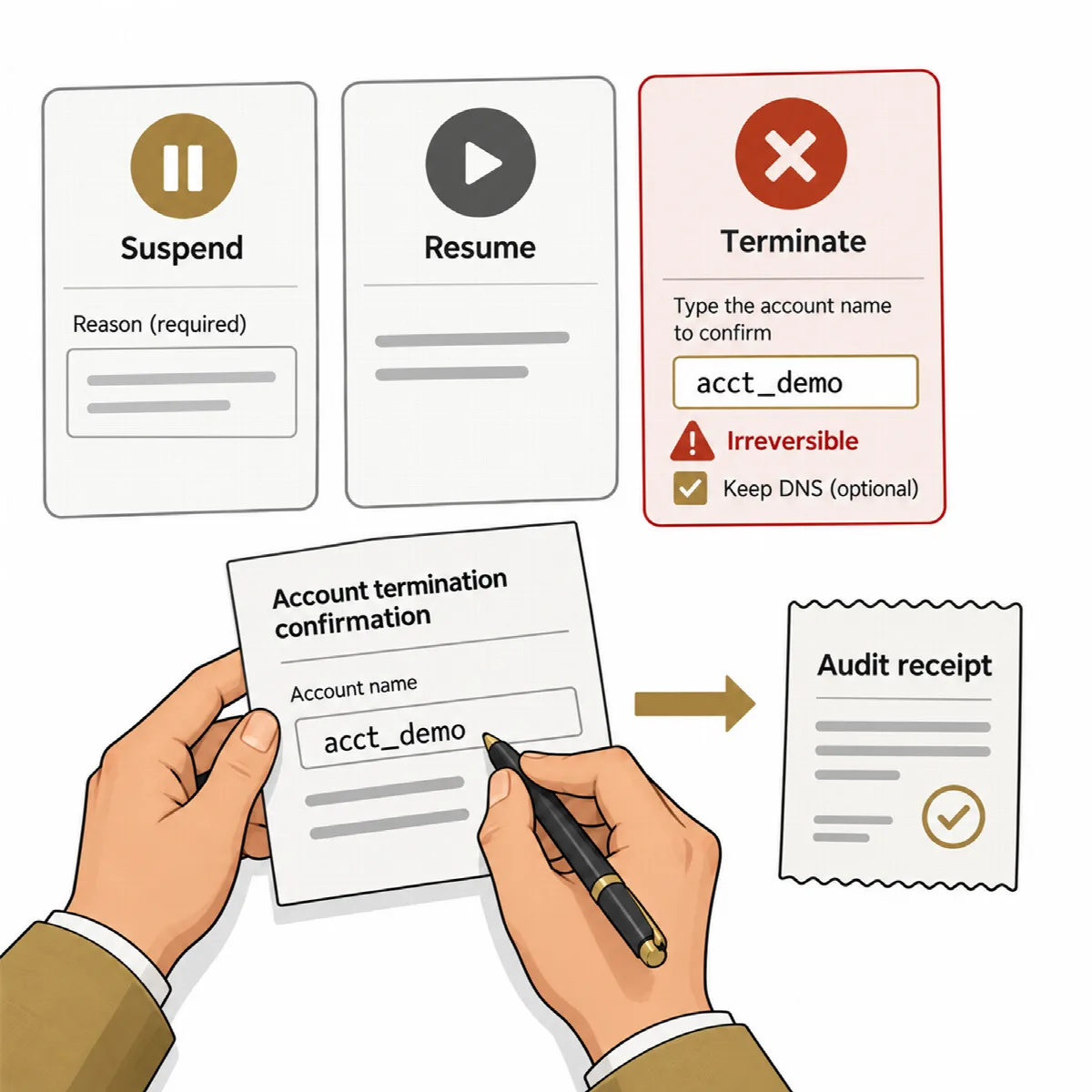
| Suspend | A reason is required |
| Unsuspend | Restores the suspended account |
| Terminate | Type the account name. Optionally tick Keep the DNS zone on the server. Termination cannot be undone. |
Every action is confirmed in a dialog and written to the audit log. Suspensions, unsuspensions and removals made outside ARN Connect are detected at the next sync and reported.
Start and end dates
Every hosting account has a Dates card:
- Start date: the date WHM reports, or a date you set with Edit dates.
- End date: the start date plus one year (the next such date from today), or a date you set. Renewed (+1 year) moves it one year on.
- Reminders follow the same schedule as domain reminders: 60, 30, 14, 7, 3 and 1 days before the end. Tick Also email the client on reminder days in Edit dates to send them to the client too.
The Hosting list shows the end date in Ends, and Expiring soon on the Overview lists the coming ends. No price or invoice is needed for these dates. If the account has a hosting service in Billing, the service's dates and reminders are used instead, and the dates are edited there.
Reseller bandwidth
WHM gives the bandwidth of accounts owned by resellers only to a token with the cpanel-api privilege. With it, ARN Connect reads these accounts through cPanel every 30 minutes. Without it, those accounts show "—" with the reason. A reseller token sees the bandwidth of its own accounts.
Hosting alerts
ARN Connect creates alerts and Hosting Windows notifications when:
- an account reaches 90 % and 100 % of its disk quota;
- a server cannot be reached three times in a row;
- an account was changed outside ARN Connect;
- AutoSSL did not renew a certificate.