
ARN Connect issues proforma invoices for hosting and other services. They are not official e-Fatura or e-Arşiv invoices, and nothing is sent to a tax authority. Issue official invoices with your accounting system.
Where to find it: Billing in the sidebar; the template in Settings → Billing.
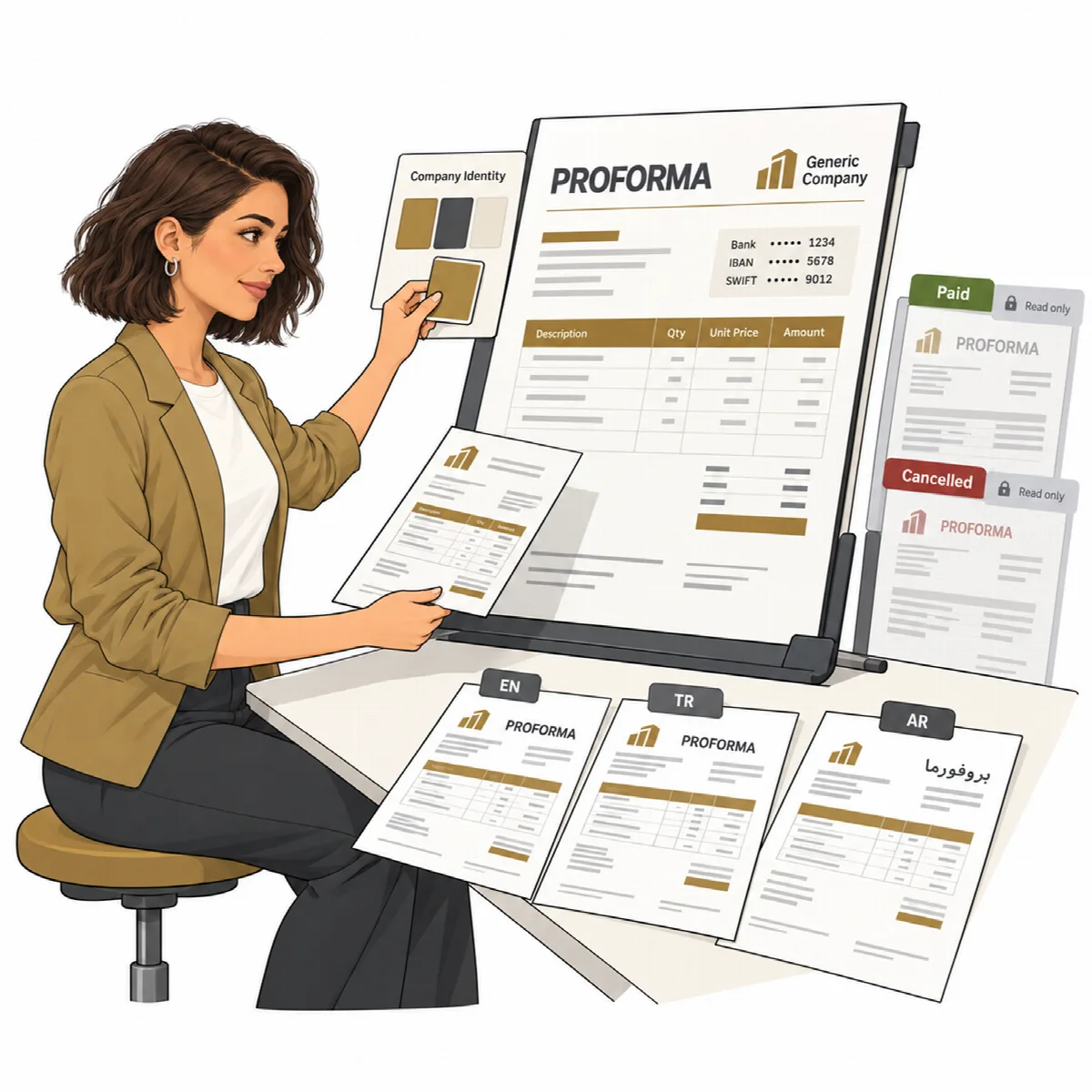
Set up the invoice template first
Open Settings → Billing:
- Company: the Legal name, Address (one line per row, as on the invoice), Phone, Email, Website, Tax office and Tax number. Click Save company.
- Bank accounts: click + Add bank account and enter the Bank, Account holder, IBAN, Currency and optionally the SWIFT / BIC. IBANs are checked so typing errors are caught before they reach a client. Tick Show on invoices for the accounts clients should see. Click Save bank accounts.
- Invoice template: choose the settings below, check the live Preview and click Save template. Download sample PDF shows the result with the saved template.
| Setting | What it does |
|---|---|
| Document language | Turkish, English or Arabic (right to left) |
| Title | Your own title, for example a proforma title in the document language |
| Arabic-Indic digits | In Arabic documents, numbers in Arabic-Indic digits; invoice numbers and IBANs keep 0–9 |
| Accent color | Any hex colour; a colour too light for white text is darkened until the contrast is readable |
| Invoice logo | PNG or JPEG, at most 200 KB, printed top left (top right in Arabic documents). Without it, the branding logo is used. |
| Number prefix, Sequence digits, Next number | The invoice number format, prefix-year-sequence |
| Default due days, Default VAT rate (%) | Used for new invoices; Prices include VAT sets how prices are read |
| Show "Ship to", Proforma note at the bottom | Optional parts of the document |
| Default notes, Default terms, Footer | Your own texts; empty fields use standard texts in the document language |
| Bank accounts on invoices | Which bank accounts are printed |
ARN Connect writes the PDFs itself; no other program is needed. Invoices use the currencies TRY, USD, EUR, SAR and AED.
Create an invoice
- From a hosting account or from a client page, with New invoice.
- Blank, with + New invoice on the Billing page.
- Automatically, as a draft before a recurring service renews. See Products, recurring services and draft invoices.
Invoices are numbered in the format ARN-YYYY-NNNN by default, sequential per year.
Track an invoice
| Status | Meaning |
|---|---|
| Draft | Editable, not sent |
| Sent | Sent to the client |
| Paid | Paid; it can no longer be edited or deleted |
| Cancelled | Cancelled; it can no longer be edited or deleted |
On the invoice page:
- Edit, Mark sent and Mark paid while the invoice is open;
- Download PDF;
- Email / WhatsApp opens the share dialog: email with the PDF attached, a WhatsApp text, or your mail program;
- Duplicate creates a copy;
- Send reminder sends a payment reminder at once for an overdue invoice;
- Regenerate invoices the period of a cancelled automatic invoice again;
- Cancel invoice cancels an open invoice.
Overdue invoices raise alerts and Billing Windows notifications. The Billing page filters invoices by status and client and searches by number or client.
Related articles
Still stuck?
Ask the community