
Where to find it: Settings → General → Language, and the theme switch at the bottom of the sidebar.
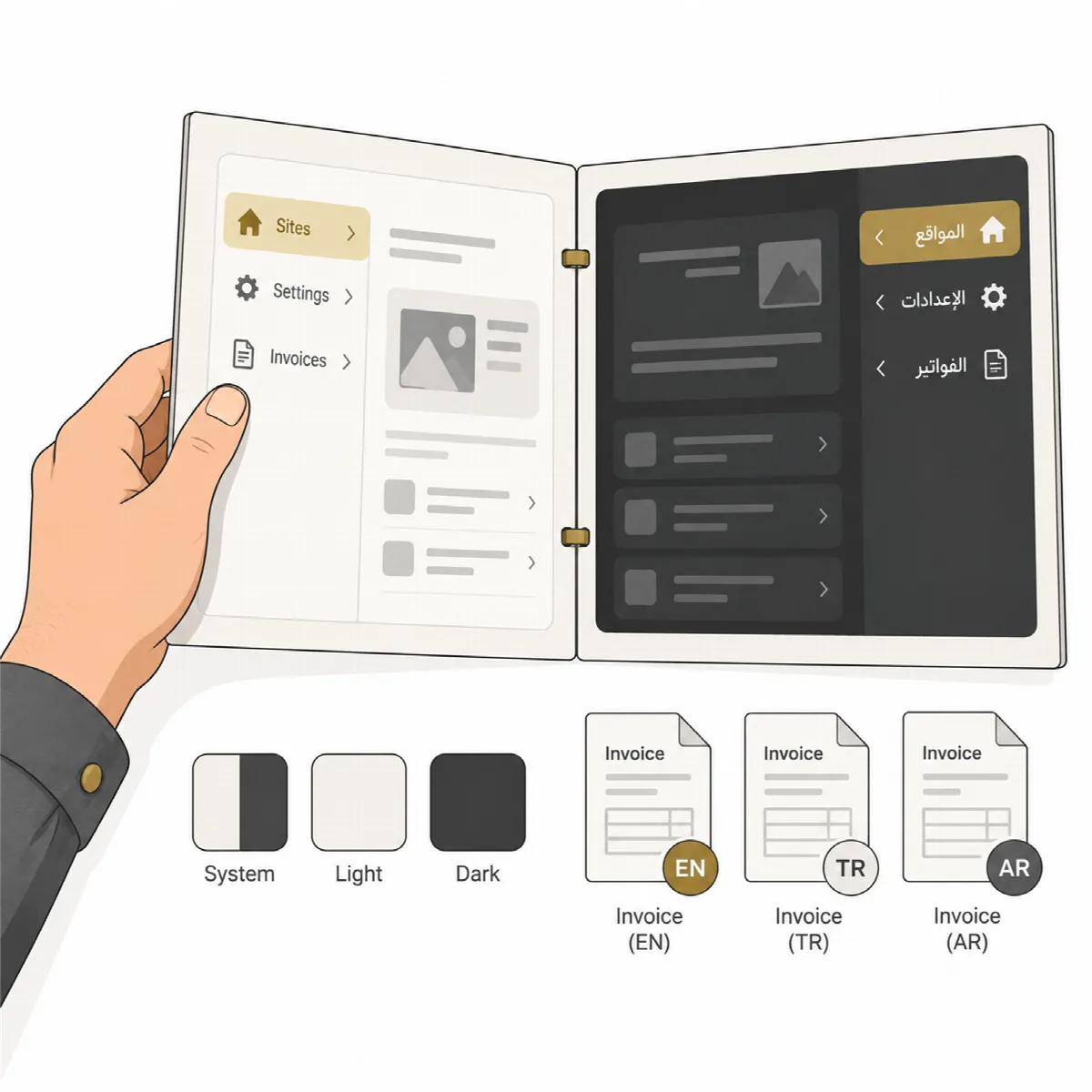
Interface language
The interface is in English or Arabic with a full right-to-left layout. Choose the language on the first-run screen or in Settings → General → Language; it applies at once. The tray menu, dialogs and Windows notifications follow it.
The Arabic interface was translated by machine. Have a native speaker review it before you rely on its wording.
Languages of client documents and messages
Documents and messages for clients keep their own language, independent of the interface:
| What | Language |
|---|---|
| Invoices and quotations | Turkish, English or Arabic, set as Document language in Settings → Billing → Invoice template |
| Share messages, weekly notes, domain reminder emails and report emails to a client | The client's Message language: English, Arabic or Turkish, set on the client card |
| Payment reminder emails | The language of the invoice |
| Report PDF | English |
Arabic documents and messages are laid out right to left. Arabic invoices can use Arabic-Indic digits. The Arabic and Turkish client texts are machine translations.
Theme
System, Light or Dark at the bottom of the sidebar. System follows the Windows setting.
Settings at a glance
| Tab | What you set there |
|---|---|
| General | Branding for reports (brand name, accent colour, prepared by, footer, logo), the interface language, and the update test site and rollback copy default |
| Notifications | Windows notifications, the performance warning margin, alerts (webhook and email addresses) and the mail server (SMTP) |
| Domains | The default expiry reminder days |
| Hosting | Your own name servers |
| Billing | Company, bank accounts, invoice template, products, invoice automation, quotations and payment reminders |
| Backups | Backup folder, how many backups to keep and how often every file is checked again |
| Integrations | AI explanations, the Agent plugin download and Agent updates |
| Security & data | The command key, the data folder and the audit log |
Days left, "today" and billing dates are counted in calendar days of your computer's time zone, the same on every screen.