
SiteWatch, the ARN security plugin, holds plugin installations that arrive without a signed-in WordPress user. ARN Connect sends updates without a WordPress user, so on sites with SiteWatch an update passes only when SiteWatch can verify where it came from.
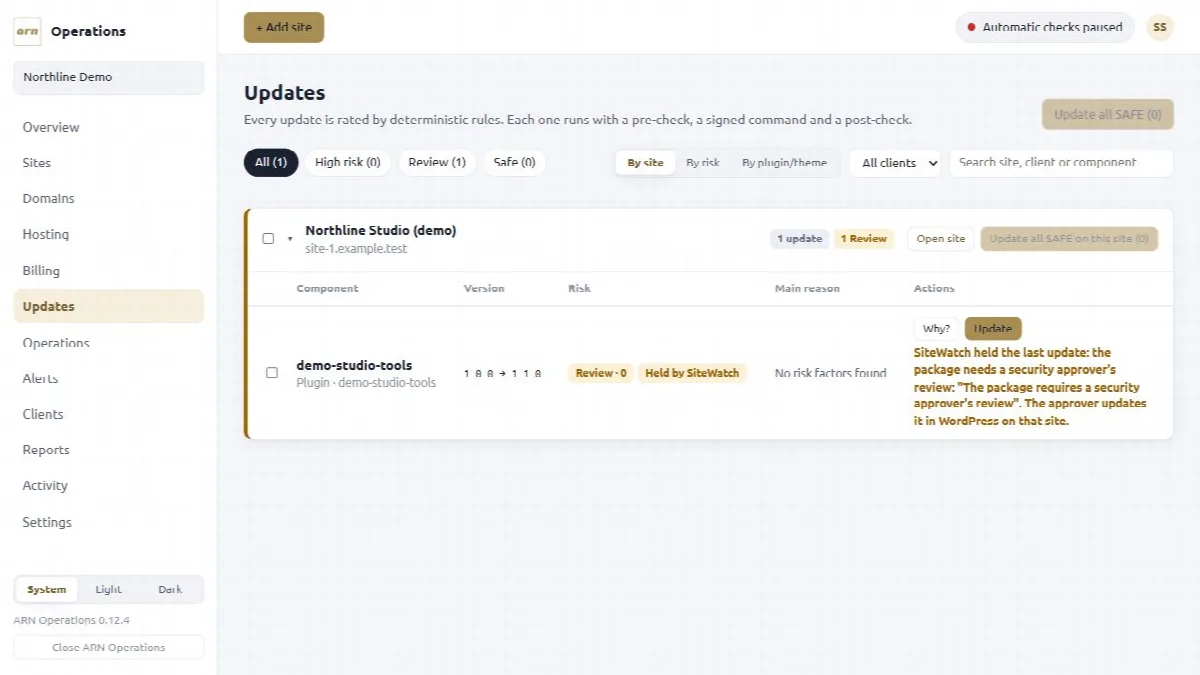
Let plugin updates through
Plugin updates from ARN Connect pass SiteWatch when:
- the site runs SiteWatch 2.0.1 or later and ARN Connect Agent 0.5.4 or later; and
- a SiteWatch security approver has approved your installation's connection in SiteWatch, under Plugin Review → Trusted Sources → ARN Connect connections.
SiteWatch then checks the signed update command itself and still inspects the package. A connection that is paired again, for example after a move to a new computer, needs a new approval.
From ARN Connect 0.13.0 with Agent 0.6.0, the signed command of a wordpress.org plugin also carries SiteWatch's digest of the package files. SiteWatch 2.1.0 and later then install the update only when the package WordPress downloaded has exactly these files. See Run verified updates.
What Held by SiteWatch means
When SiteWatch stops an update, nothing is installed, so ARN Connect does not count it as a failure:
- the update row, the operation and the batch show Held by SiteWatch with SiteWatch's reason and the way through;
- no roll back is sent, no incident is opened and the update stays available;
- the other sites of a queue go on.
| Reason | The way through |
|---|---|
| The connection is not approved | A security approver approves the connection in SiteWatch, then you update again |
| The signature did not match the approved key | Update again; if it happens again, the security approver approves the connection again |
| The package needs a security approver's review | The security approver updates the plugin in WordPress on that site |
| The signed command had expired | Update again; if it repeats, check the computer's clock |
| The signed command was already used | Update again |
| The versions changed, or the command did not match the plugin | Refresh the site, then update again |
| The package files do not match the package digest (from ARN Connect 0.13.0 and SiteWatch 2.1.0) | Check the site's update source; a security approver can review the package in WordPress on that site |
With SiteWatch 2.0.0 or older, or Agent 0.5.3 or older, on the site, SiteWatch holds these updates, and the reason says that letting them through needs SiteWatch 2.0.1 and Agent 0.5.4. Until then, the security approver updates the plugin in WordPress on that site.
When the test site is held
If the test site of a queue is held, the update could not be verified there, so the other sites stop as NOT RUN. Let the update through on the test site, or choose a test site without SiteWatch in Settings → General → Updates, then update again.
Agent updates
Signed Agent updates follow a separate rule: SiteWatch 1.3.11 and later lets them through while its setting ARN Connect Agent updates signed with the ARN release key is on (named ARN Operations Agent updates … before SiteWatch 2.0.1). If SiteWatch holds an Agent update anyway, the site keeps its Agent, the rollout shows Held by SiteWatch with what SiteWatch said, and the other sites go on. A held test site stops the rollout. See Update ARN Connect and the Agent, or remove them.