
Instead of waiting for every person to fill in the form, you can create the cards of a whole team from one spreadsheet. Cardix makes a draft card for every row, draws all cards and signatures in your browser and gives you the edit link of every person.
Where to find it: Cards → your group → People → Cards from a CSV file.
Before you start
- Add at least one business card design to the group. Without one, New card and Cards from a CSV file are not available.
- Lock the values that are the same for everyone, such as the company, the website or the address, on the Fields tab. Locked fields are not columns of the file.
Prepare the CSV file
- Save the file as UTF-8. A comma or a semicolon may separate the columns.
- The first row names the columns. The import form shows the column names of your group, for example
name,title,company,phone,email,web,address,city. A column may also be named with the label of the field. Unknown columns are ignored. - Every further row is one person.
- A file may have at most 500 rows and may not be larger than 1 MB.
Example (all values are fictional):
name,title,company,phone,email,web
Jane Smith,Sales Manager,Example Company,+44 20 7946 0000,jane.smith@example.com,https://www.example.com
Omar Haddad,Event Manager,Example Company,+44 20 7946 0001,omar.haddad@example.com,https://www.example.com
Import the file
- Click Cards from a CSV file.
- Under CSV file, choose the file.
- Choose the Business card design and the E-mail signature design for these people. The group's defaults are selected.
- Click Create the cards.
Cardix then:
- makes a card for every valid row; a row without a required value is left out, and the rows left out are listed;
- downloads a CSV file with the Name and the Link to change your card of every imported person, once;
- opens the drawing page of the group.
Draw the cards
The drawing page Create the cards of (your group) says how many cards wait to be drawn. Click Create the cards and keep the page open until they are all made. The page counts "Card 1 of 4" and ends with, for example, "4 of 4 cards are ready." The cards and their e-mail signatures are then published.
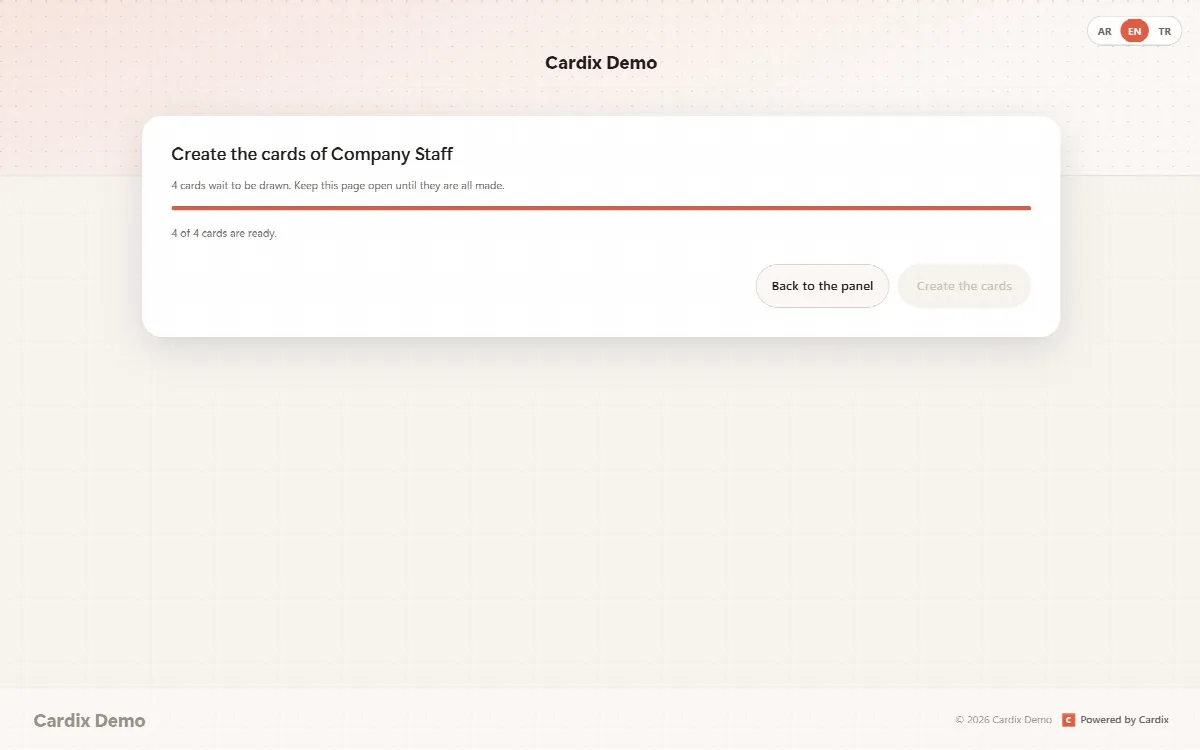
If you leave the page before it finishes, the People tab shows Draw N cards for the cards that still wait; click it to continue.
Send the edit links
Send each person their own link from the downloaded CSV file. With it, the person opens the card, can change it, copy the e-mail signature and share the card page. Keep the file safe: anyone with a link can change that card.
One person at a time
New card on the People tab makes one draft card and opens it on the participant page, where you fill it in and save it like a participant.
Limits
- The group's limit applies: if the file has more rows than the group can take, the import tells you how many more cards fit. Raise Cards at most in the group's Settings or import fewer rows.
- At most 500 rows per file.