
Cardix can keep the contact details of participants, for example to send them news after an event. Data collection is set for each event, and participants always choose whether their details may be kept. A participant who does not agree still gets the card.
Where to find it: Events → your event → Data collection tab. For card groups: Cards → your group → Settings, box Keeping the details.
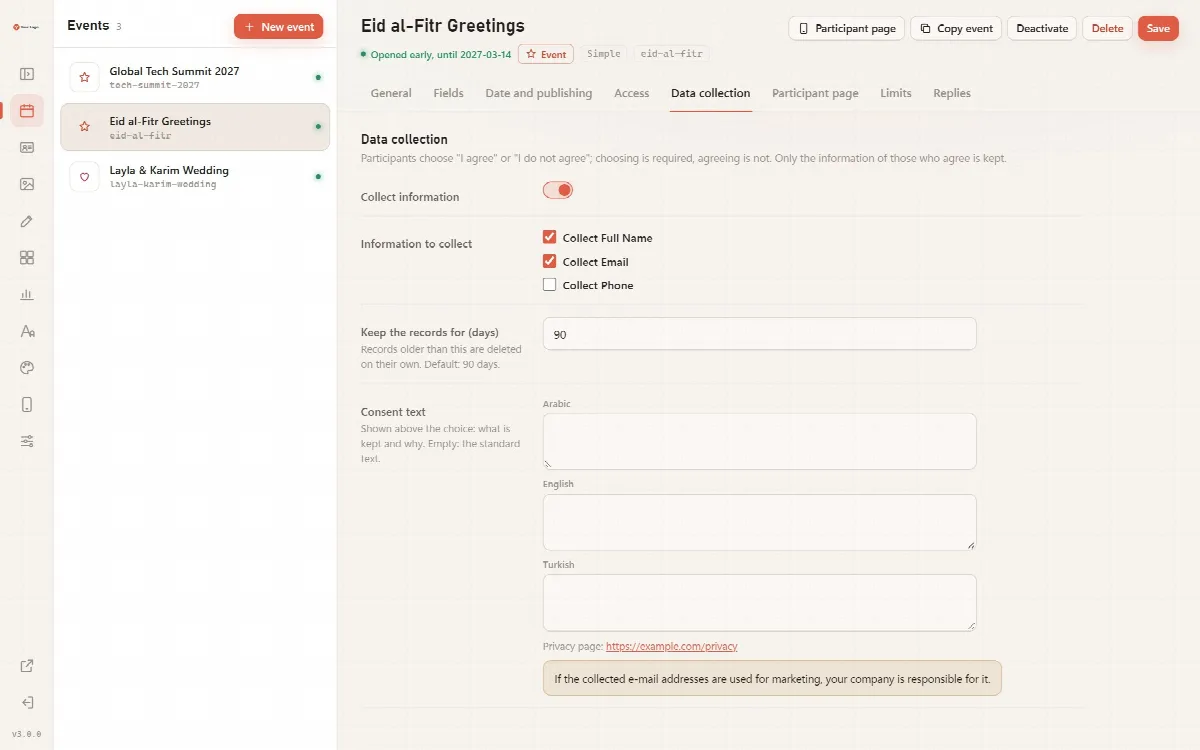
Set up data collection for an event
- Switch on Collect information.
- Under Information to collect, tick Collect Full Name, Collect Email and/or Collect Phone.
- In Keep the records for (days), enter how long the records are kept. The default is 90 days (from 1 to 3,650).
- Write the Consent text in Arabic, English and Turkish: what is kept and why. If you leave it empty, participants see the standard text: "With your consent we store the information below for this event. You get your card in either case."
- Click Save.
The tab also shows the Privacy page link that participants see. Enter its address once under System → General → Privacy page address; until then the tab says "No privacy page address yet; add it in System."
Note: If the collected e-mail addresses are used for marketing, your company is responsible for it.
What participants see
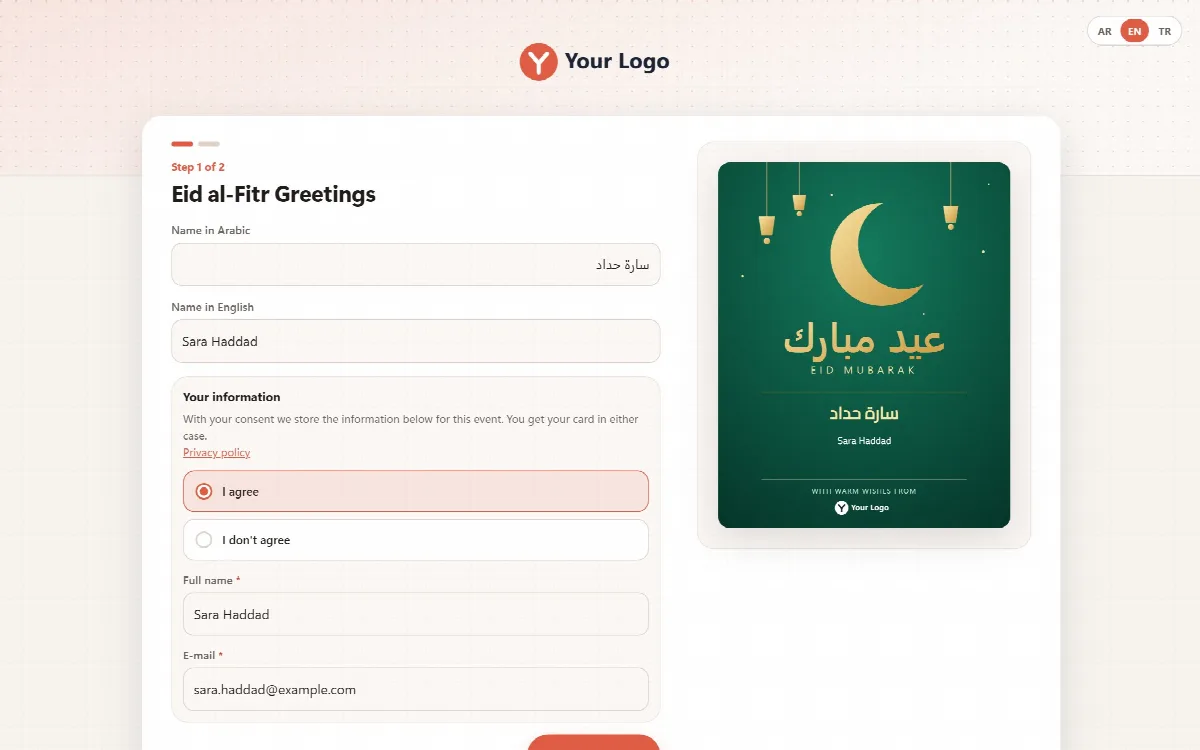
When an event collects data, the form has a section Your information with the consent text, a Privacy policy link and a required choice:
| Choice | What happens |
|---|---|
| I agree | The inputs of the collected information appear. The details are kept for the retention period |
| I don't agree | The e-mail and phone inputs are hidden, nothing is kept, and the participant still makes and downloads the card |
Choosing is required; agreeing is not.
Card groups
In a card group, switch on Ask people "I agree / I don't agree" under Keeping the details, tick the information to keep and set Keep the records for (days). A person who does not agree can download the card image, but the card is not kept: there is no card page and no e-mail signature.
Export the collected data
- Open System → Data. An account with the Data role finds the export under Data in the menu.
- Under Export Data (CSV) by Event, choose the event in Select Event.
- Under Options, tick Delete data after export if you want the exported rows removed from the server.
- Click Export CSV.
Exporting and deleting run in one locked step, so rows that arrive at the same moment are not lost, and no temporary export file stays on the server.
Automatic deletion
- Collected records are deleted automatically when the retention period of their event ends.
- When an event is deleted, its collected rows are deleted with it after your confirmation. An event with collected data can be deleted by a full administrator only, and only a full administrator can shorten its retention period.
- The admin panel runs the clean-up once a day; participant visits never run it.
See Download statistics and data retention for invitation replies and business cards.
Privacy by design
- Cardix does not store visitors' IP addresses with the collected data. Limits and counters use keyed hashes that cannot be turned back into IP addresses.
- The data is stored on your own server, in a data folder with a random name.