
People can make their own business card through the private link of a card group. Values you locked, such as the company, the website and the address, are already filled in. No account is needed.
Share the link of the group
- Open Cards → your group.
- Click Copy link in the header and send the link to the people of the group. If the group has a PIN, send the PIN too.
The group must be switched on and must have at least one business card design. See Business cards with card groups.
What a person does
- Open the private link and, if asked, enter the PIN.
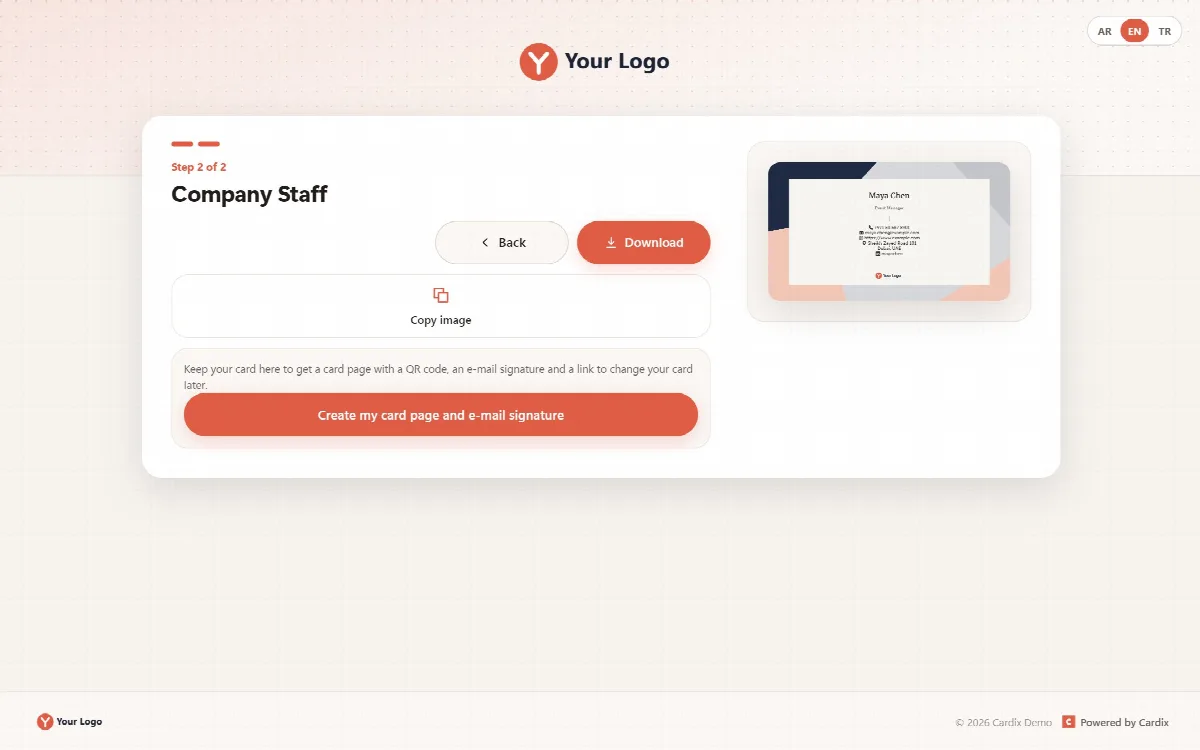
- Fill in the form and click Make my card.
- In step 2, download the card image with Download, or use Copy image, WhatsApp or E-mail.
- Click Create my card page and e-mail signature to keep the card.
The result panel then shows:
| Part | What it contains |
|---|---|
| Your card page | The QR code and the address of the person's card page |
| Link to change your card | A private edit link with Copy. It opens the card again without an account; anyone with the link can change the card |
| E-mail signature | The signature with Copy e-mail signature |
After a change in the form, the button reads Update my card page and e-mail signature. Saving again updates the card image, the card page and the signature at the same addresses.
With approval
If New cards wait for my approval is switched on for the group, the person sees "Your card waits for approval. The card page and the e-mail signature open when it is approved." Approve the card on the People tab with Approve.
With data collection
If the group asks "I agree / I don't agree":
- I agree: the card is kept with its card page and e-mail signature.
- I don't agree: nothing is stored. The person can still download the PNG, but there is no card page and no e-mail signature.
Sharing
Sharing from a card group shares the person's card page, never the group's private link.
If something goes wrong
| Message | What it means |
|---|---|
| This card group is full, so no more cards can be saved. | Raise the limit in the group's Settings or delete cards |
| A card with these details already exists. | The card was saved before. Open it with its edit link, or make a new edit link on the People tab |
| Many cards are being made right now. | Many new cards were saved in the last hour; try again a little later |
| The design of this card changed. | Reload the page and try again |
Edit links
Ask each person to keep their edit link. If a link reaches the wrong person, click New edit link for that card on the People tab; the old link stops working.