
Eagle3D is a business application for 3D printing shops by ARN Smart. You install it on your own web server with PHP and a MySQL or MariaDB database. It is a standalone application, not a WordPress plugin.
Eagle3D brings the work of a print shop together in one place: an online order page you can share with customers, orders and quotes from every channel, a cost engine built for printers and filament, production and stock, imports from your web store, and reports based on real profit.
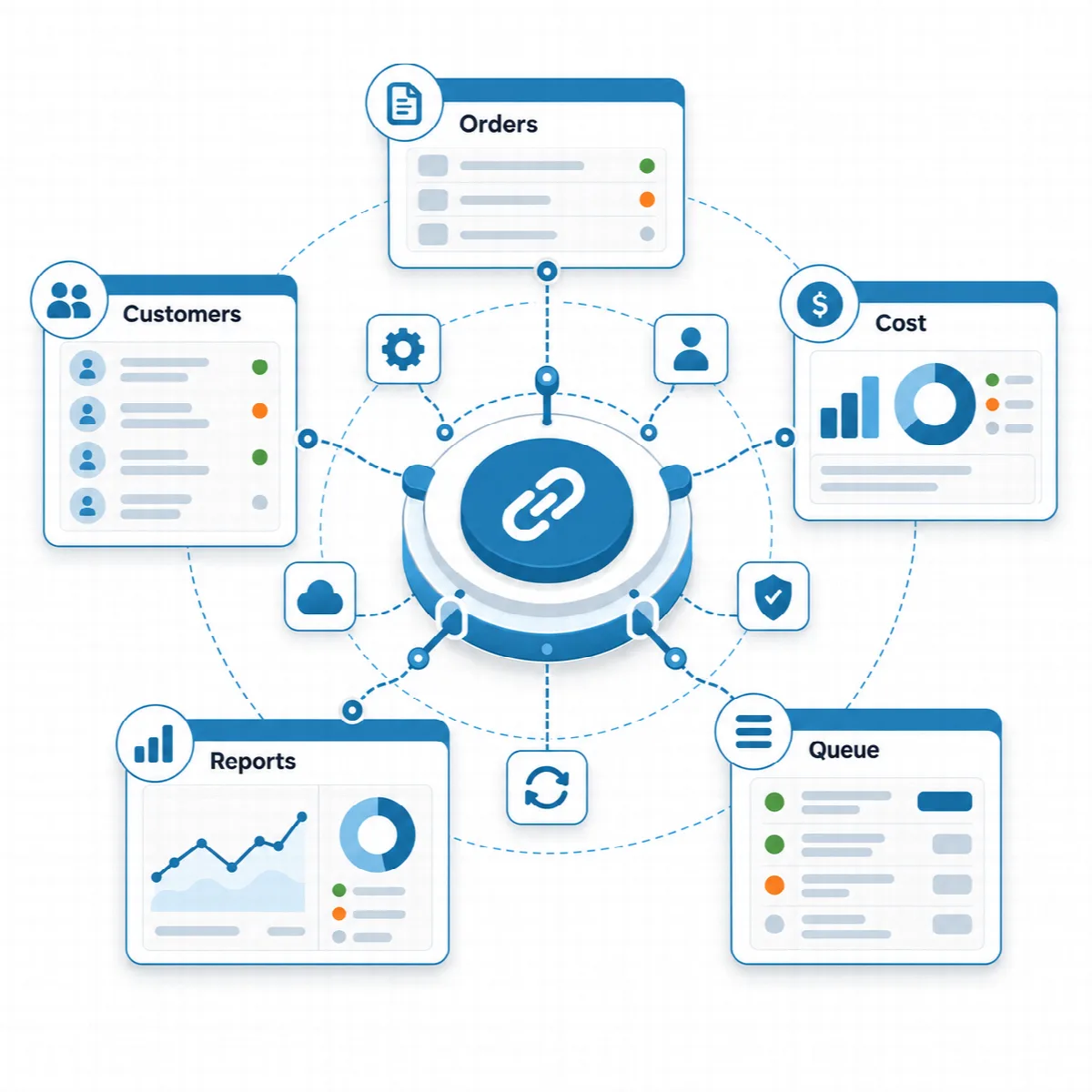
What Eagle3D does
| Area | What you can do |
|---|---|
| Online order page | Share one order link. Customers browse your catalog, fill a cart and send an order in four steps. A separate page lets them track their order. |
| Orders | Keep storefront, web store, WhatsApp and phone orders in one list, with customer, products, payment, due date, shipping details and production stage. |
| Quotes | Price a request from your catalog, print or email the quote and convert it to an order with one click. |
| Customers | One record per phone number, with the customer's orders, quotes, total sales and open balance. |
| Cost engine | Calculate the cost of every product from its recipe: filament and waste, materials, electricity, printer depreciation, labour, overhead and sales-channel commission. |
| Production and stock | Manage printers, filaments, materials and suppliers, plan the material for a batch and, if you want, track stock. |
| Store sync | Import paid orders from WooCommerce, Shopify, BigCommerce, Ecwid, PrestaShop, Wix and Square Online and write the shipped status back. |
| Communication | Open ready-made WhatsApp messages, print cargo and workflow slips, and send order and quote emails. |
| Reports | Compare printers, products, months, cities and sales channels on profit, and find the products that earn the most per print hour. |
How Eagle3D works
- Capture. Orders arrive from your order page, a connected web store, WhatsApp, phone or an accepted quote. Each one is matched to a customer by phone number.
- Calculate. Every product is costed from its recipe, so cost and margin are known before printing starts.
- Produce. Orders move through production stages. You plan the material for a batch and, with the stock module on, see what is on the shelf.
- Deliver. Shipping details, tracking links, WhatsApp messages and printed slips go out together, and a connected store can be updated.
- Improve. Reports show which products, channels, cities and printers earn the most.
When an order is saved, Eagle3D saves the cost and profit of each order line with it. The dashboard, the order list and the reports all read these saved figures, so later price changes do not rewrite your history.
Who Eagle3D is for
- Makers and small studios that sell through social media and messages and want a professional order page and prices based on known costs.
- Online sellers that want web store, WhatsApp and phone orders in one list and the profit left after channel commission.
- Custom print and prototype services that answer price requests with quotes.
- Printer farms and production teams that follow printer hours, capacity and profit per print hour and give each team member a role.
One edition
Eagle3D is sold as one edition with all features. A licence covers one installation and is either yearly or lifetime. Eagle3D adds no fee per order or per sale. See Activate your Eagle3D licence.
The main menu
After you sign in, the menu shows the areas your role can use:
- Dashboard, Customers, Orders and Quotes
- Production: products, filaments, materials, printers, the Production Calculator and Production Planning
- Stock: only when the stock module is switched on
- Suppliers
- Staff: only in the company profile
- Reports
- Settings: administrators only
Each user sees only the menus of their role. See Users and roles.
About this documentation
This documentation describes Eagle3D 2.1.1. Where 2.0.0 changed the behaviour of an earlier version, the article names the version.