
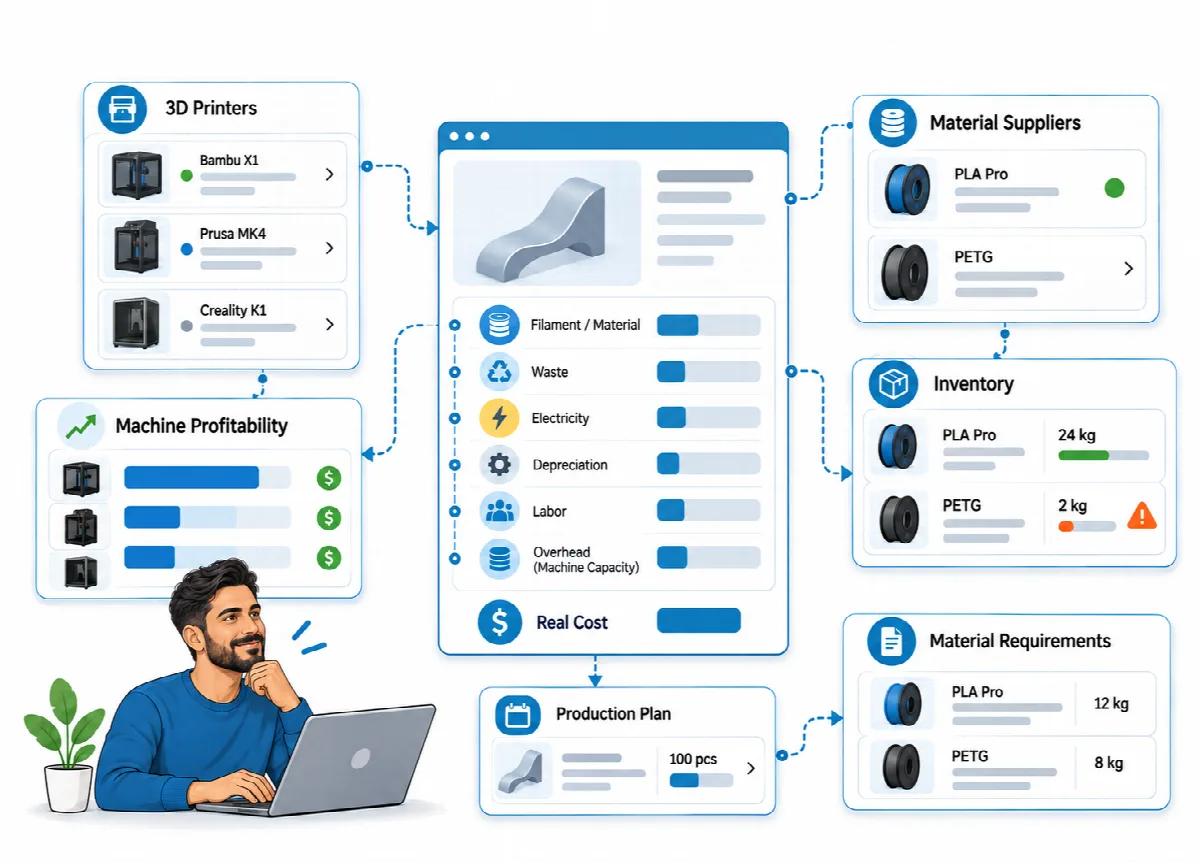
Stock tracking is optional. Printer profiles, recipes and Production Planning work without it. When you switch it on, Eagle3D tracks filament, materials and finished products with their purchase prices and deducts them automatically when orders ship.
Where to find it: switch it on in Settings → General → Modules; then use the Stock menu.
Switch on the stock module
- Open Settings → General.
- Under Modules, tick Stock module.
- Click Save.
The Stock menu appears. When the module is off, nothing stock-related is shown and orders do not change stock.
The Stock screen
The Stock screen has three tabs:
| Tab | What is tracked |
|---|---|
| Filaments | On Hand in kg, Low-Stock Threshold, Last Purchase Price and Price Used in Costing |
| Materials | On Hand, Low-Stock Threshold, Last Purchase Price and Price Used in Costing |
| Products | On Hand, Low-Stock Threshold and Mode: Made to order or Made to stock |
The Status column shows OK, Running low, Out of stock or Not tracked.
Record stock
| Action | What it does |
|---|---|
| Stock In | Records a purchase with Quantity, Unit purchase price and a Note |
| Count / Threshold | Corrects the quantity after a count (Counted quantity; leave it empty to keep the quantity) and sets the Low-Stock Threshold |
| Produce to Stock | Adds finished units of a made-to-stock product and deducts its recipe filament and materials at that moment |
| Movements | Shows the history: Purchase, Production, Order, Order cancel/reversal and Count adjustment |
To make a product Made to stock, open Count / Threshold on the Products tab and tick "This product is made to stock (orders deduct product stock when shipped)".
Automatic deduction
With the stock module on, stock is deducted once when an order becomes Shipped or Completed:
| Product mode | What shipping deducts |
|---|---|
| Made to order | The recipe filament (weight plus waste) and the additional materials |
| Made to stock | Only the finished product units; the materials were deducted when you produced to stock |
- When an order is Cancelled or deleted, the deducted quantities are added back.
- When you edit the lines of an order that was already deducted, Eagle3D reverses the old deduction and deducts the new lines.
- Custom lines do not use stock.
- Deduction happens when the status changes, so the module must be on at that moment. Switching the module on does not deduct orders that were already shipped.
Low-stock alerts
Set a Low-Stock Threshold for each item you want to watch. When an item reaches its threshold, it is marked Running low (or Out of stock), and the dashboard shows an alert with a link to the Stock screen. See Dashboard and reports.
Purchase price and costing price
Stock In records the Last Purchase Price, but it does not change the price the cost engine uses. When the two differ, the Stock screen shows both. Update the costing price under Production → FILAMENTS (or the default supplier price) and Production → MATERIALS.
Who can use stock
The Stock menu is available to the Administrator, Operations and Production roles, and read-only to View Only users.