
SiteWatch is a WordPress security and monitoring plugin by ARN Smart. It brings sign-in protection, plugin review and approval, file integrity, an encrypted contact form, monitoring and security reports into one workspace in your WordPress admin.
SiteWatch does not treat every event as an attack. Sign-ins, account changes, plugin packages, file changes and outgoing requests each have their own review path, and every finding keeps the evidence you need for the next decision.
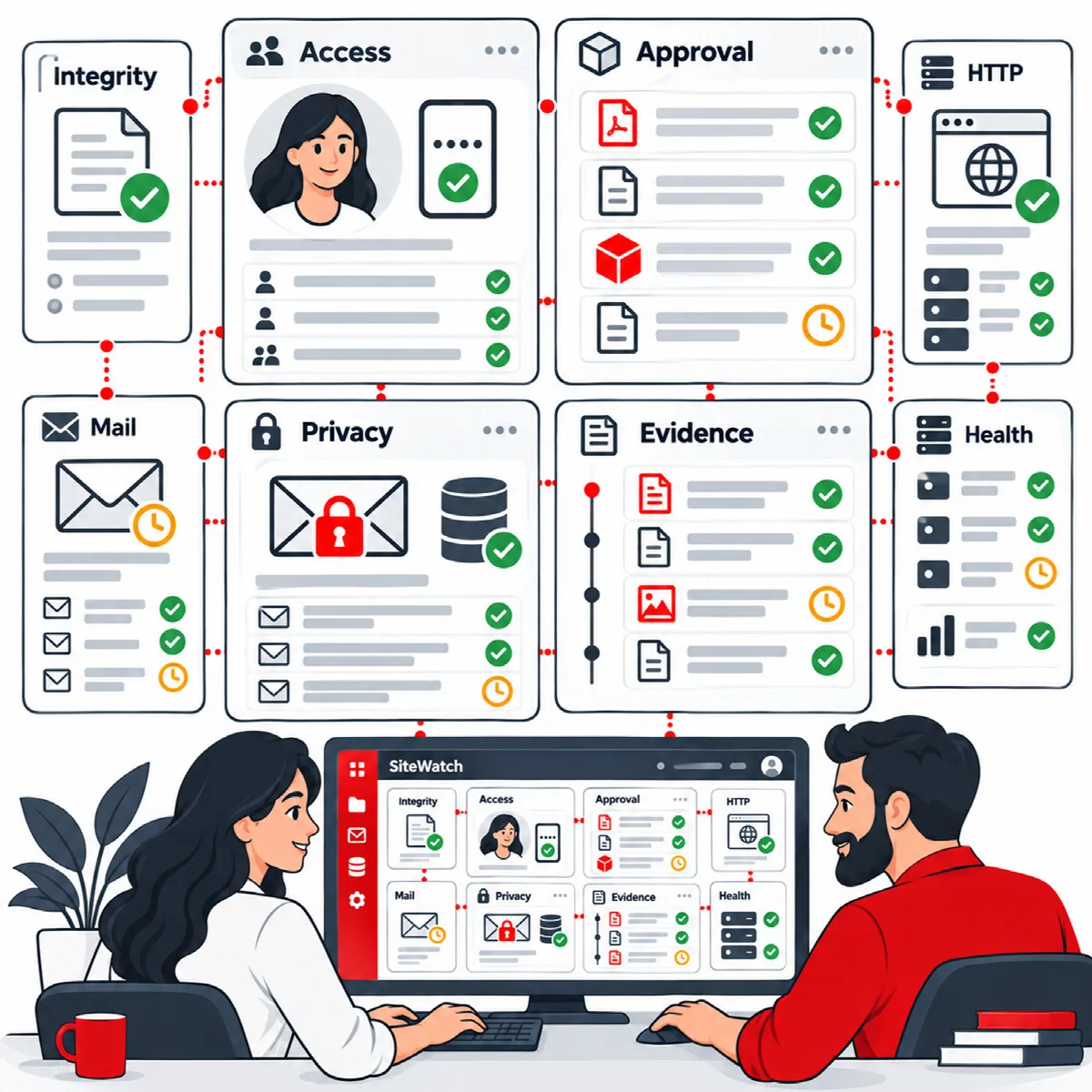
What SiteWatch does
- Access security. Limits failed logins, asks for an authenticator code or a browser verification code at sign-in, applies password and session rules per role and keeps new accounts on a review path.
- Plugin review. Inspects plugin packages before supported installations, updates and activations. Uncertain packages wait until a designated security approver decides.
- Site and file protection. Compares WordPress core and plugin files with trusted references, checks published vulnerability data, observes or blocks selected request patterns and offers reviewed repair and quarantine.
- Forms and email. Encrypts the fields of the SiteWatch secure form in the visitor's browser, adds spam and email controls and checks your mail connection.
- Monitoring. Checks selected public pages and their assets, records events, outgoing WordPress HTTP requests, file changes, PHP errors and storage use.
- Reports. Stores scan reports with an executive summary and technical details, exports them as HTML or JSON and emails daily reports and alerts.
SiteWatch is one product with one edition. Every feature above is part of the same licence.
How SiteWatch works
- Set up. You activate the licence, enroll an authenticator and become the security approver. A setup profile applies a reviewed starting set of policies.
- Observe. Protection policies start switched off, and the setup profile puts request and email policies in observation mode. SiteWatch records what would match without blocking anyone.
- Inspect. Scans, integrity checks, vulnerability lookups and health checks collect evidence and store it in reports.
- Decide. You review findings and held plugin operations, then choose an action: an update, a configuration change, an approval, a repair or no action.
- Keep the record. Decisions, approvals and policy actions stay in the event history and in the reports.
SiteWatch never deletes, disables or repairs code on its own. Repair and quarantine only happen after you review them.
Find your way around
SiteWatch appears as ARN SiteWatch in the WordPress admin menu. The workspace has eight main groups. Select a group, then one of its tabs.
| Group | Tabs |
|---|---|
| Dashboard | No tabs. Scans, stored reports and the latest report |
| Access Security | Login Protection, Two-Factor Authentication, Roles & Trusted Browsers, Sessions & Accounts, Registration Verification |
| Site Protection | Requests & Endpoints, Vulnerabilities, Early Request Protection, Investigation Center, File Integrity, File Repair, Security Findings, Quarantine, Hardening |
| Plugin Review | Installed Plugins, Pending Reviews, Trusted Sources, Accounts & Permissions, Activity History |
| Forms & Email | Encrypted Forms, Encrypted Inbox, Spam Protection, Email Security, Mail Diagnostics |
| Monitoring | Site & Asset Health, Live Security Events, Installed Products, Outbound Connections, File Changes, PHP Errors, Storage |
| Reports & Events | Scan Reports, Event History, Notifications, Delivery History |
| Settings | Setup & Profiles, Network Management, General & Report SMTP, AI Connection & Review |
Each form saves on its own. Use the save button of the section you changed.
The licence, licence renewal and updates are managed in Settings → ARN Center → Licences, together with the other ARN Smart products on the site.
About this documentation
This documentation describes SiteWatch 2.2.0. Behaviour that arrived with SiteWatch 2.0.1, 2.0.2 or 2.1.0 is marked "(SiteWatch 2.0.1 and later)", "(SiteWatch 2.0.2 and later)" or "(SiteWatch 2.1.0 and later)".