
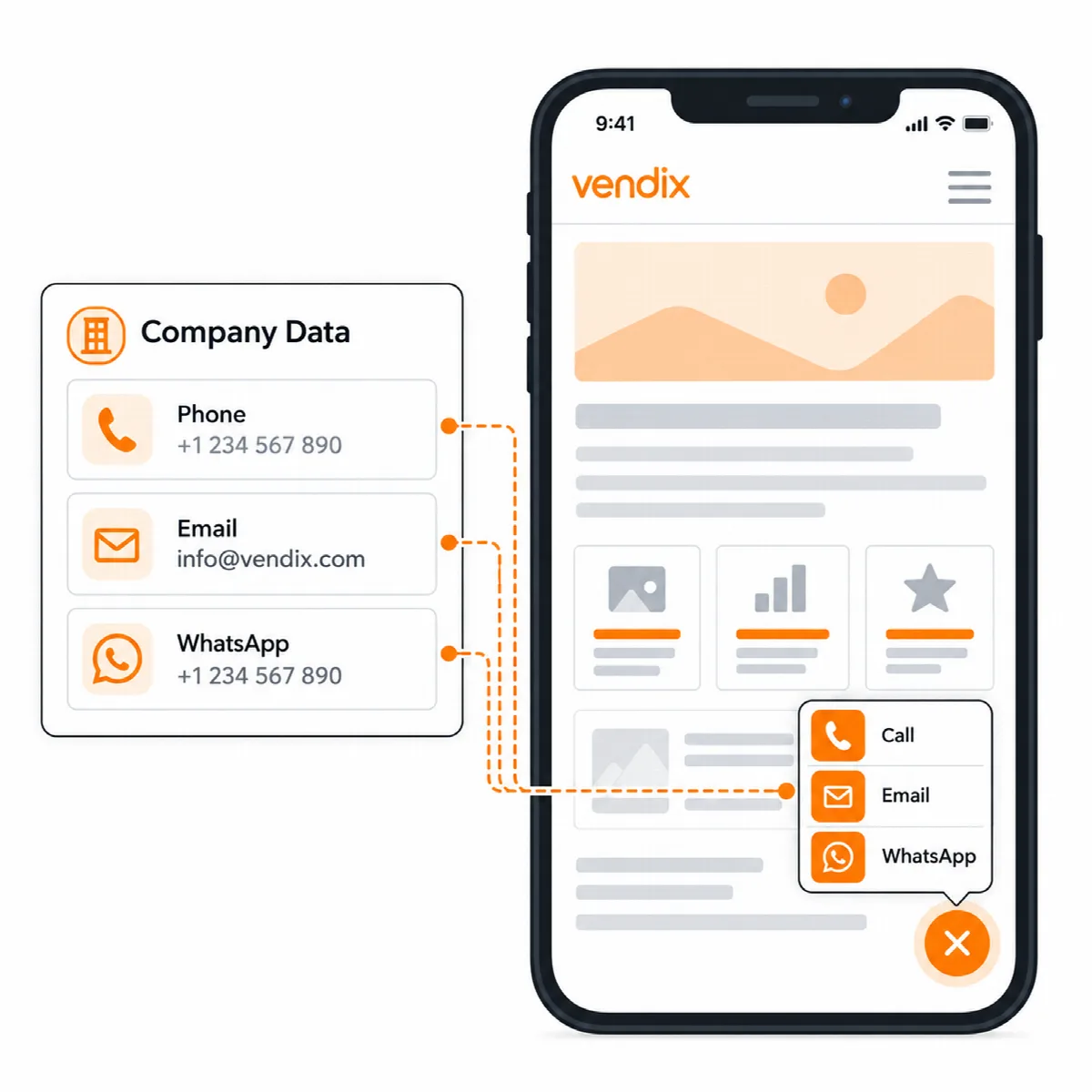
Floating Contact adds one contact button to the pages you choose: WhatsApp, phone, email, map and a custom link. It takes its values from Company Data, follows the Design System colours and can be limited to certain devices and working hours.
Where to find it: ARN Vendix → Smart Features → Floating Contact. It is part of Vendix Pro and off by default. The ARN Floating Contact Elementor widget keeps working on single pages and replaces the site-wide button where it is placed.
Turn on the button
- Open Smart Features → Floating Contact and turn on Enable the site-wide Floating Contact.
- Under Channels, check WhatsApp number, phone number, email address, map link and custom link. Empty fields take their value from ARN Vendix → Company Data; a value entered here is used by this button only. A channel without a value is left out.
- Optionally set a Label for each channel and a Ready message, the text WhatsApp opens with.
- Set Where it shows (see below). With nothing under Show on, the button shows nowhere.
- Click Save Vendix Settings and open a page as a visitor.
Choose the appearance
- Display: Expandable Menu (one main button that opens the channels) or Visible Buttons.
- Layout Preset: Pill Menu, Icon Stack or Compact Fan.
- Main Button Label: shown by the expandable menu; empty uses "Contact".
- Side: End (right in left-to-right languages, left in right-to-left languages) or Start.
- Offsets: side and bottom offsets for desktop and for phones. Raise the bottom offset if your site has a fixed bottom bar.
- Button color and Text color: empty uses the Design System colours.
Choose where and when it shows
- Show on and Hide on use the same rules as the Header & Footer Builder, for example the entire site, the front page, content types, chosen pages or categories. A matching Hide on rule wins.
- Pages and their child pages (Vendix 3.0.0 and later) covers a chosen page and every page under it, also pages added later, for example a whole Services section.
- Devices: desktop, tablet and phone.
- Working hours: tick Show only during working hours, then choose the working days, start time and end time in the site time zone. An end before the start runs past midnight.
Pages kept by a full-page cache show the state of the moment they were cached. On a plain checkout of Vendix Theme, the button stays off unless WooCommerce Checkout or the checkout page is under Show on.
With ARN Visioix
While the Visioix contact widget is on, the Vendix Floating Contact stays hidden, and the ARN Floating Contact widget is hidden on the live site too, so a page never shows two contact buttons. Visioix then keeps the contact button and its click tracking. Turn the contact widget off in Visioix to use the Vendix button.