
Vendix Pro adds five tools to SEO & Visibility: Redirects, Search Intelligence, Content Freshness, the Site Report and the AEO / GEO / AIO answer and evidence fields. They help you keep old addresses working and decide which pages need attention next.
Where to find it: ARN Vendix → SEO & Visibility, in the Redirects tab (under Search Engines) and the AEO / GEO / AIO, Report, Search Intelligence and Content Freshness tabs (under Answers & Insights). These tools are part of Vendix Pro.
Redirects
Redirects send visitors and search engines from an old address of your site to the new one: 301 for a permanent move, 302 for a temporary one. They work whether or not the SEO & Visibility engine is on.
- Open the Redirects tab and click Add redirect.
- Enter the old address, the new address and the type (301 or 302), and optionally a note.
- Save. The list can hold up to 1,000 redirects and can be searched, edited and bulk deleted.
- Tolerant matching: letter case, leading and trailing slashes and the old address's query string do not matter.
- Loop and chain protection: a redirect that would send visitors in a circle, or build a chain of more than three redirects, is refused.
- Allowed external domains: a redirect can leave your site only for domains on this list.
- The home page and the WordPress admin, login and REST addresses cannot be redirected.
The list shows whether a redirect was added by hand or by ARN Contix. Contix writes the redirects of merged and removed content here and removes them when it undoes the change.
Search Intelligence
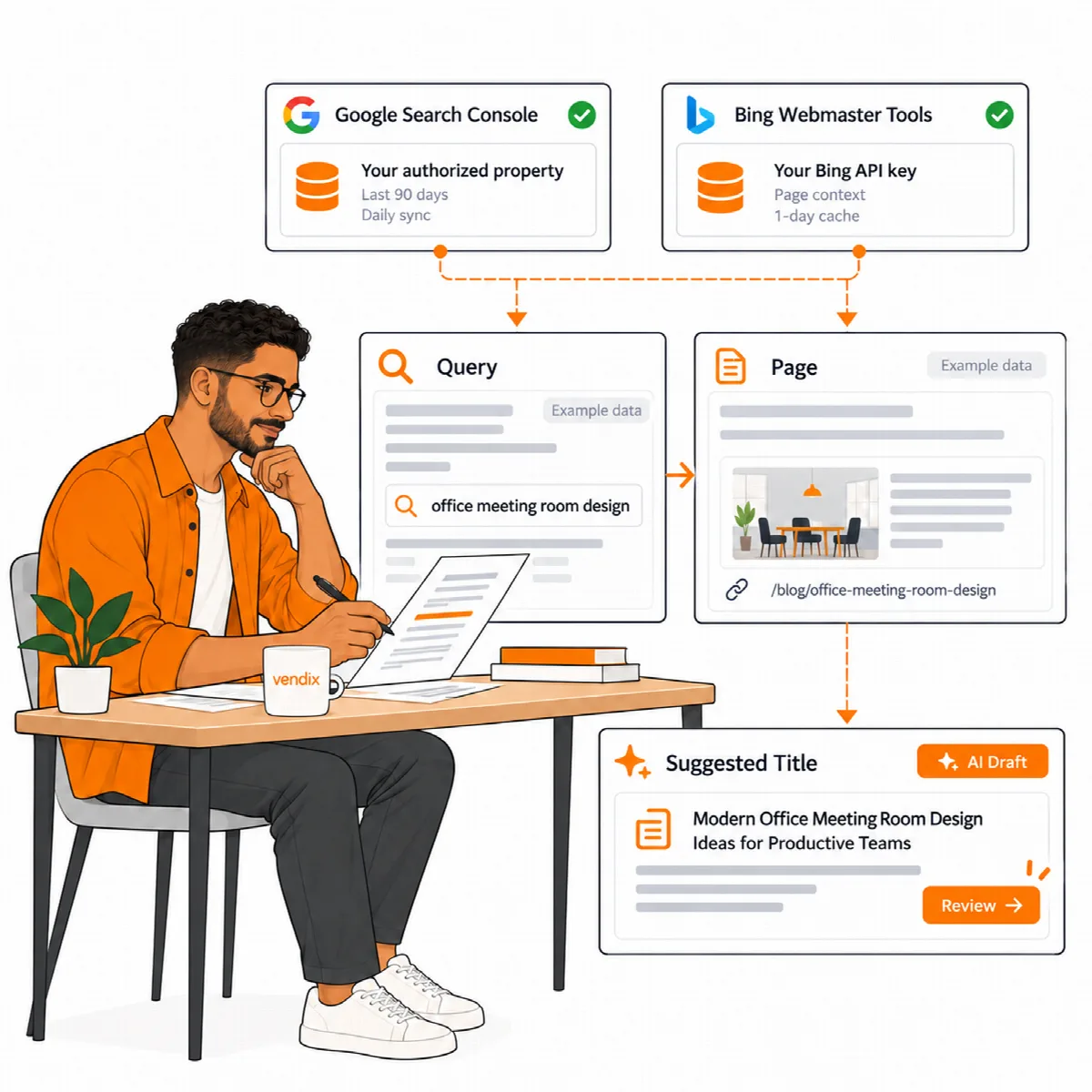
Search Intelligence connects your pages with real search data, read-only, through your own accounts.
- Open the Search Intelligence tab.
- Google: add your own Google service account and choose your Search Console property, then click Test Google. The search data of the last 90 days syncs once a day, and Sync Google data now syncs at once.
- Bing (optional): save your Bing Webmaster API key and site address, then click Test Bing. Bing data is fetched per page when an editor opens it and kept for a day.
- Open a page's ARN Smart Visibility Engine box to see its queries, a coverage check that compares real queries with the words on the page, and the Search Ideas tab for title, description and search ideas from the shared AI connection.
Keys are stored encrypted and never shown again in the browser. Removing the connection stops the requests and deletes the stored search data. Missing access or missing data is a connection state to resolve, not proof that nobody searches for the page.
Google autocomplete ideas. On a page's Search Ideas tab, Check Google autocomplete for these ideas sends up to six of the page's search ideas and the site language to Google's suggestion service; the answers are kept for a week. Administrators can turn this off with the Google autocomplete ideas switch in the Search Intelligence settings; the tab then sends nothing to Google.
Content Freshness
Content Freshness lists entries that have not been updated within a period you choose.
- Open the Content Freshness tab and turn it on (it is off by default).
- Set the age limit (30 to 1,460 days, 180 by default) and the content types.
- Review the list. Optional AI suggestions give a refreshed title and description and a checklist of facts to verify, such as dates, prices or versions. Compare the current and proposed values side by side before you apply them.
- Click Mark as reviewed for an entry that is still correct.
An older page is a candidate for review, not automatically an inaccurate page. Check the facts rather than changing a date to make a page look new.
Site Report
The Report tab compares your published pages with each other, which a single-page analysis cannot do. It lists:
- pages that share the same title or meta description,
- pages without an H1,
- pages that no menu and no other page links to,
- pages left on the automatic schema type instead of a deliberate one.
The report scans the content types selected for the sitemap. Use it to find pages that need attention, then open each page's own analysis.
Answer and evidence fields (AEO / GEO / AIO)
In the AEO / GEO / AIO tab and in each page's box, a page can carry a short answer summary, a primary entity, supporting topics, and author and reviewer details that feed the JSON-LD output. Speakable selectors are opt-in. A page can also list its authoritative source URLs and a first-hand experience note, and the [arn_sources] shortcode prints the source list where you place it.