
The Icon Manager controls which icons from the bundled, font-free icon library are available in the icon controls of Vendix widgets and navigation elements. You enable whole categories or pick single icons into My Icons; the widgets then offer that collection.
Where to find it: ARN Vendix → Icon Manager (Pro) or ARN Utilities → Icon Manager (Free). The screen is called ARN Smart Icon Manager.
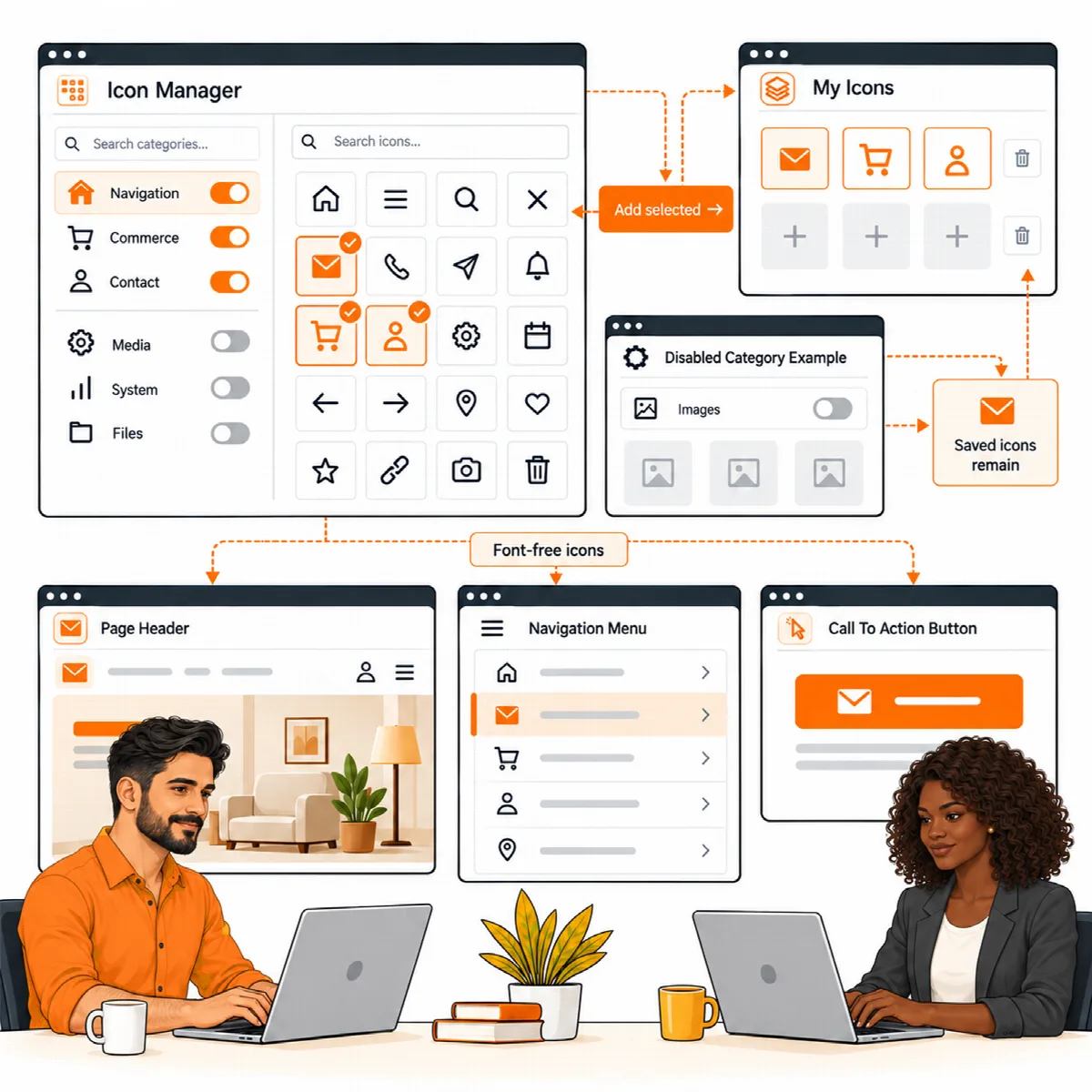
What the library contains
- Font-free SVG icons that take the colour set in Elementor and scale cleanly at any size.
- A curated Default icons selection to start with. Vendix Free has about 3,800 icons in two sets, Default Icons and Interface Essentials.
- Elementor's own icon libraries and Font Awesome stay available beside them.
The Icon Manager manages the bundled collection. It is not an editor for your own drawings, and it does not import other icon packs.
Build your icon collection
- Open the Icon Manager. The top of the screen shows the number of active icons, the default icons, My Icons and the enabled categories.
- Choose a category in Choose a category, or search for a category or an icon.
- To make a whole category available, enable it.
- To pick single icons instead, open the category, select the icons and click Add Selected to My Icons.
- Save the settings, then test the icons in a heading, a button and a menu at the size where they will appear.
Clear My Icons empties your hand-picked selection.
Disabling a category
Disabling a category only removes it from new selections. Icons already saved in Elementor content continue to show on your pages.
Lighter delivery
The icon library ships as one file per category. Icons on pages carry their own drawing and need no extra request, and the Elementor editor and the Icon Manager screen load no icon files for that. After updating from an older Vendix version, clear your page cache or CDN once; otherwise icons on pages cached earlier may show as empty spaces.
Good practice
- Keep a small, relevant set: a short My Icons list makes choosing faster for the whole team.
- Use icons next to a text label. An icon alone may not tell every visitor what an action does.