
Vendix Theme draws a simple header when no page builder layout replaces it. The header shows the logo or the site title, an optional tagline under it, the main menu and an optional button at its end.
Where to find it: Appearance → Customize → Vendix → Header & Footer.
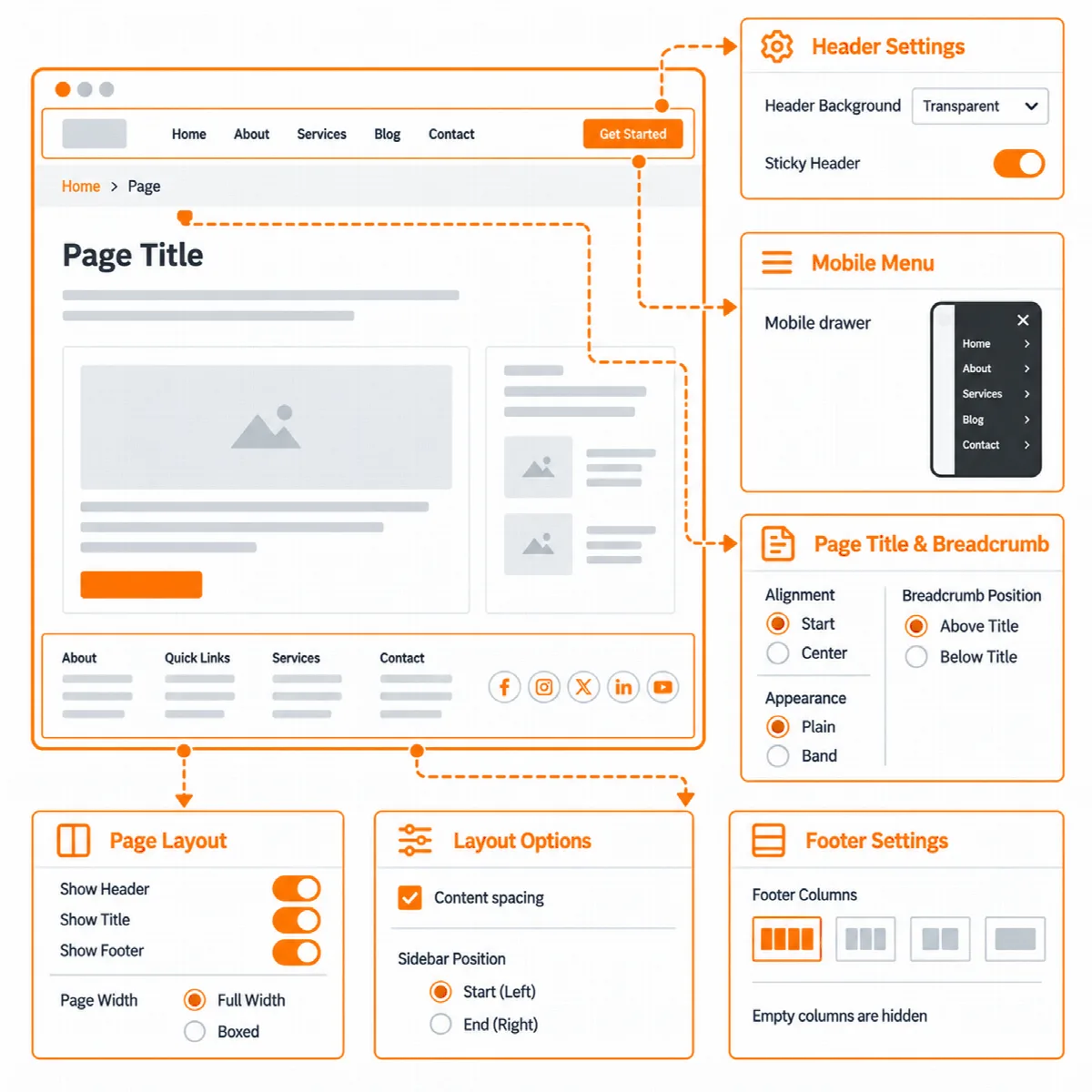
Header options
| Setting | What it does | Default |
|---|---|---|
| Draw the theme header and footer | Draws the theme's own header and footer where no header and footer is made with Elementor or a compatible plugin | On |
| Show the tagline under the site title | Shows the tagline from Site Identity under the logo or site title | Off |
| Keep the header at the top while scrolling | Sticky header; it gets a shadow once the page moves | Depends on the site type (on for Store) |
| Transparent header | Off, On the front page or On all full width pages | Off |
| Text color of the transparent header | Light, for a dark first section or Dark, for a light first section | Light |
| Header button text | The text of a button at the end of the header | Empty |
| Header button link | The address the button opens | Empty |
| Open the header button link in a new tab | Opens the link in a new browser tab | Off |
Add a header button
- In Customizer → Vendix → Header & Footer, enter the Header button text, for example "Book a call".
- Enter the Header button link.
- Turn on Open the header button link in a new tab if the link leads to another site.
- Click Publish.
The button appears only when both its text and its link are set. On tablets and phones it moves into the menu panel; without a header menu it stays in the header row.
Use a sticky header
Turn on Keep the header at the top while scrolling. The header stays at the top of the window, below the WordPress admin bar for logged-in users, and gets a shadow once the page moves. On phones narrower than 601 pixels, where the admin bar scrolls away, it sticks to the top of the window.
Use a transparent header
A transparent header lies over the first section of the page, for example a full width image, and turns solid when a sticky header scrolls or the phone menu opens.
- Set Transparent header to On the front page or On all full width pages.
- Choose Text color of the transparent header: Light for a dark first section, Dark for a light one.
- Hide the page title on those pages, or start them with a full width section. With the page title shown, the title area is the first section, so the header text stays dark.
The transparent header works only on pages with full width content. A boxed page always gets a solid header. Pages edited with Elementor are full width by default.
Each page can choose its own header style in its Page Layout options: Theme default, Transparent (full width content only) or Solid. See Page Layout options and site-wide layout.
Note: On news sites, the top bar and a breaking news band under the header are not printed on pages with a transparent header, because the header lies over the top of the page.
The menu on tablets and phones
- On tablets and phones the main menu folds into a menu button.
- A dropdown of the header menu that would leave the window opens toward the side with room, also on right-to-left sites.
- With the phone menu open, moving the keyboard focus out of the header or widening the window past the tablet width closes it.
The header menu appears only when a menu is assigned to the Header location in Appearance → Menus.
Store icons and the area beside the logo
- With WooCommerce active, the header can show a product search, an account link and a cart link with the number of items. See Set up WooCommerce store pages.
- On news sites, the Header Area widget area sits beside the logo. See Banner and ad areas with reserved space.
- With Vendix Pro, wishlist and compare links with their counts can join the store icons. See Use Vendix Theme with the Vendix plugin.
When another header is used
The theme header gives way when:
- the Vendix plugin's Header & Footer Builder or the Elementor Pro Theme Builder provides a header for the page;
- Draw the theme header and footer is off;
- the page hides its header in its Page Layout options.
The header options on this page apply to the theme's own header only.