
Every page, post and public post type entry has Page Layout options that change its frame without a new template. Site-wide layout settings are in the Customizer.
Page Layout options of one page
Where to find them:
- In the block editor or classic editor, in the Page Layout box in the sidebar of the edit screen.
- In Elementor, in the page settings panel, section Page Layout.
Both places save the same values. A value of Theme default follows the Customizer setting.
| Option | Choices |
|---|---|
| Header | Show or Hide |
| Header style | Theme default, Transparent (full width content only) or Solid |
| Footer | Show or Hide |
| Page title | Theme default, Show or Hide |
| Content width | Automatic (full for Elementor pages), Boxed or Full width |
| Content spacing | Theme default or No top and bottom spacing |
Posts have three more options:
| Option (posts only) | Choices |
|---|---|
| Sidebar | Theme default, After the content (right on left-to-right sites), Before the content (left on left-to-right sites) or No sidebar |
| Post header | Theme default, Above the featured image, Below the featured image or Over the featured image |
| Featured image | Theme default, Content column, Container, across the sidebar too, Edge to edge or Hide |
A header or footer made with a page builder follows its own display rules; the Header style option applies to the theme header.
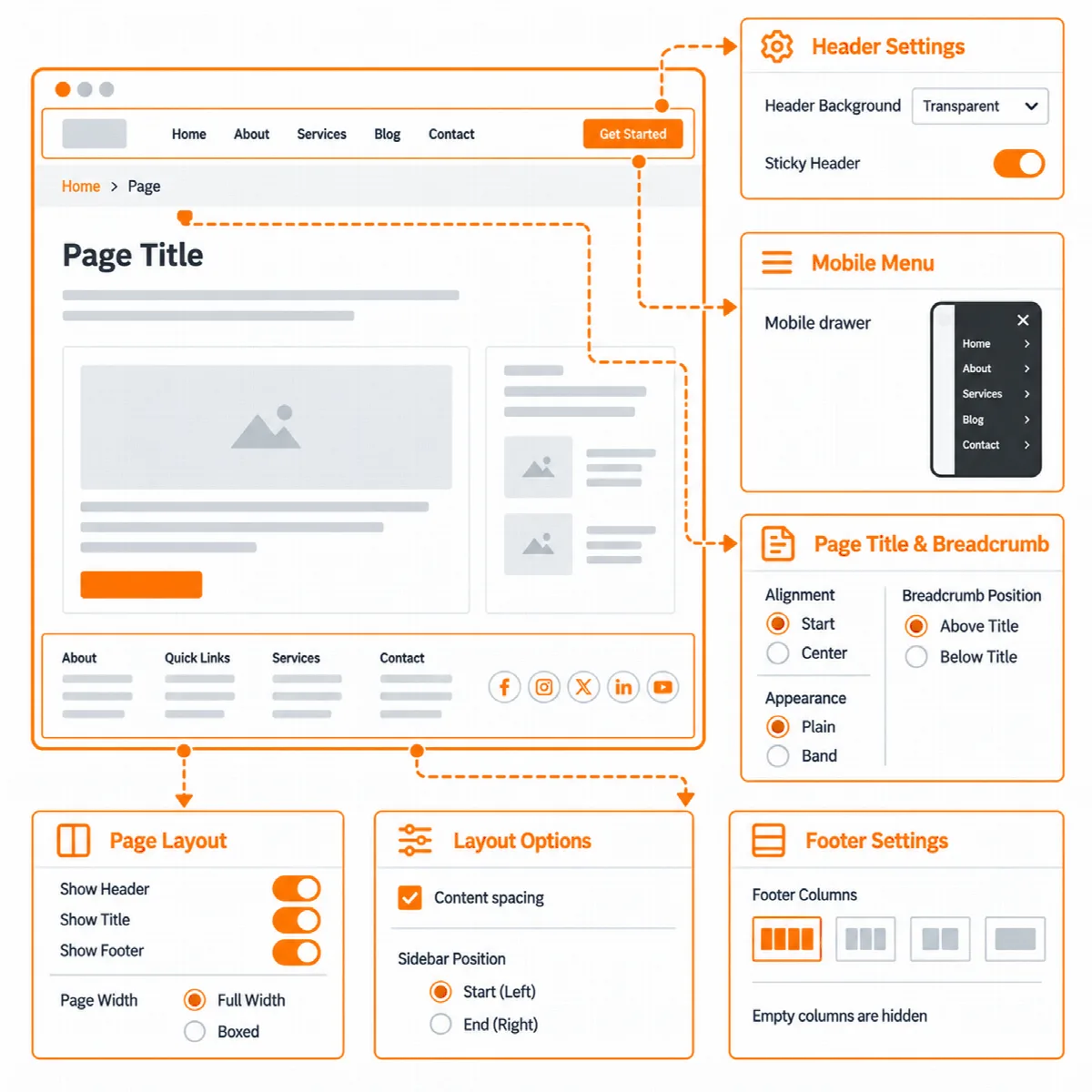
Give a page the whole screen
For a landing page designed fully in Elementor:
- Open the page in Elementor and open the page settings panel.
- In Page Layout, set Page title to Hide, Content width to Full width and Content spacing to No top and bottom spacing.
- If the page needs no theme header or footer, set Header or Footer to Hide.
- Update the page.
A full width page with a hidden title and no spacing leaves the whole screen to Elementor.
Content width
- Automatic makes a page full width when it is edited with Elementor, and boxed otherwise.
- Boxed keeps the content inside the container width.
- Full width lets the content run from edge to edge.
The blog sidebar appears only on boxed posts and post lists, and only when the Blog Sidebar widget area has widgets.
Site-wide layout
Where to find it: Appearance → Customize → Vendix → Layout.
| Setting | What it does | Default |
|---|---|---|
| Container width (px) | Width of the boxed content, the header and the footer, from 600 to 2400 | 1140 |
| Load the theme base styles | Loads the theme's base styles. Turn off only when every page is designed in Elementor. | On |
| Show a back to top button | Adds a button that scrolls back to the top of the page | Off |
The back to top button steps aside for the phone menu and for plugin parts fixed at the bottom of the screen.
In Customizer → Vendix → Header & Footer, Draw the theme header and footer turns the theme's own header and footer on or off for the whole site. Turn it off only when Elementor or a plugin draws the header and footer on every page.