
Contix Pro offers scoped REST API keys and signed webhooks, so other systems can start work in Contix and hear when it finishes. Both work only after an administrator creates them.
Where to find it: ARN Contix → System → Integrations. Choose the project context at the top and click Open integration workspace. The Google Search Console connection on the same screen is described in Track performance with Google Search Console.
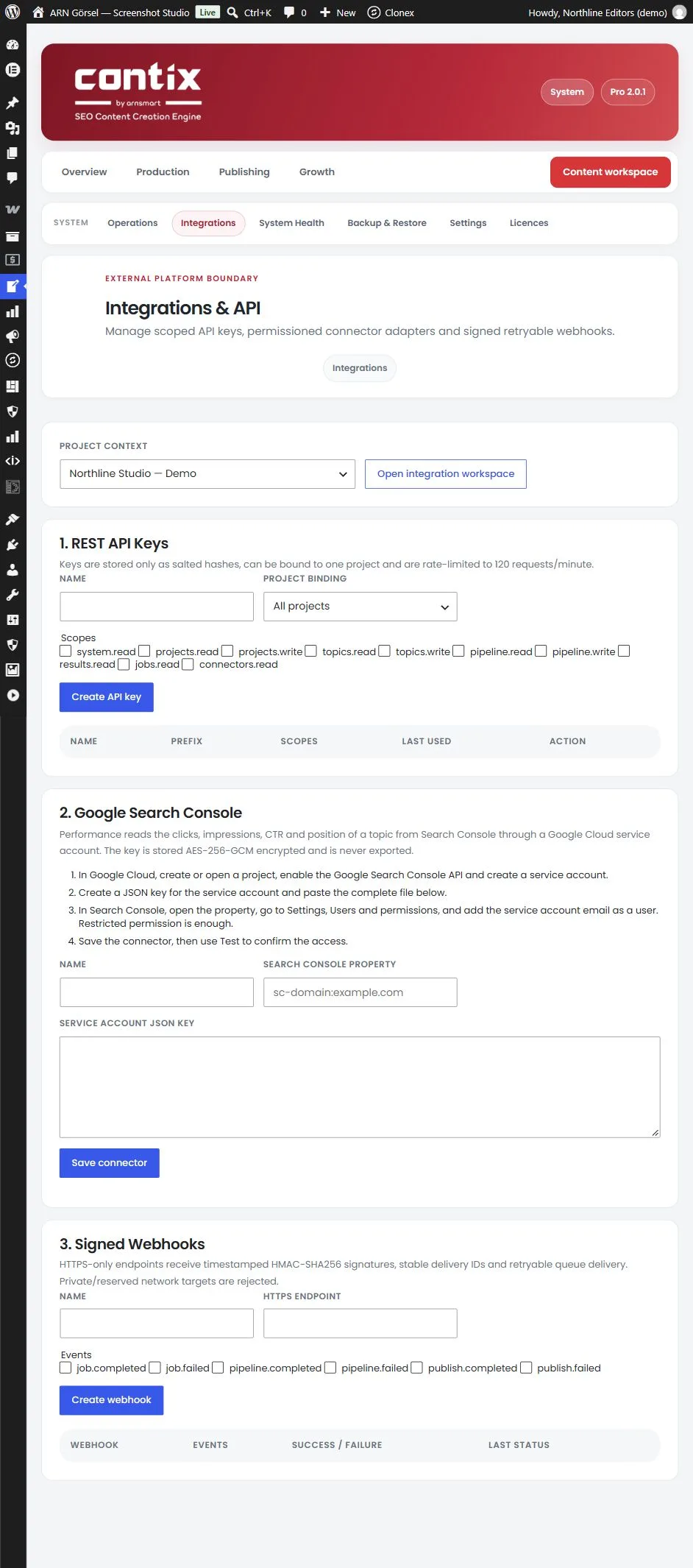
Create a REST API key
- Under 1. REST API Keys, enter a Name.
- Under Project binding, choose All projects or one project. A key bound to one project works only with requests that name that project (
project_id), and cannot create projects. A bound key can also callGET /status, andGET /projectsreturns only its own project. - Tick the Scopes the key needs.
- Click Create API key.
The new key is shown once: copy it right away and store it safely. Contix stores keys only as salted hashes and cannot show a key again.
The key table lists the Name, the key Prefix, the Scopes and when the key was Last used. Click Revoke to stop a key; requests that use it are refused from then on.
Scopes and endpoints
All endpoints are under /wp-json/contix/v1/. Send the key in the Authorization header as Bearer followed by the key.
| Method and endpoint | Scope | What it does |
|---|---|---|
GET /status | system.read | Returns the Contix version, the schema and whether the runtime is paused |
GET /projects | projects.read | Lists projects; for a key bound to one project, only that project |
POST /projects | projects.write | Creates a project (name, language, region, brand_summary, content_goal) |
GET /projects/{project_id}/topics | topics.read | Lists the topics of a project |
POST /projects/{project_id}/topics | topics.write | Creates a topic (keyword, secondary_keywords, content_type, search_intent, audience, language, region, goal, priority) |
POST /pipeline/start | pipeline.write | Starts a run (project_id, topic_id, mode as automatic or guided) |
GET /pipeline/{run_id}?project_id={project_id} | pipeline.read | Returns the status of a run |
GET /projects/{project_id}/topics/{topic_id}/results | results.read | Returns the saved results of a topic, such as the article draft, analysis and publishing package |
GET /projects/{project_id}/jobs | jobs.read | Lists the recent jobs of a project |
GET /projects/{project_id}/connectors | connectors.read | Lists the connectors of a project |
Each key is limited to 120 requests per minute. Common answers:
| Status | Meaning |
|---|---|
| 401 | The key is missing, invalid or revoked |
| 403 | The key does not grant this scope, it is bound to another project, or a bound key tried to create a project |
| 409 | The run could not start; the message gives the reason |
| 422 | The project or topic could not be created; check the fields |
| 429 | The key exceeded 120 requests per minute |
Every authenticated request is written to the Contix log.
Create a signed webhook
- Under 3. Signed Webhooks, enter a Name and the HTTPS endpoint.
- Tick the Events you want:
job.completed,job.failed,pipeline.completed,pipeline.failed,publish.completedorpublish.failed. - Click Create webhook.
The signing secret is shown once: copy it right away. Only public HTTPS addresses are accepted; private and reserved network addresses are refused.
The webhook table shows the events, the number of successful and failed deliveries and the last status. Click Delete to remove a webhook.
Verify a webhook delivery
Contix sends each event as a JSON POST with these headers:
| Header | Content |
|---|---|
X-Contix-Event | The event type, for example pipeline.completed |
X-Contix-Delivery | A stable delivery ID; use it to ignore a delivery you already processed |
X-Contix-Timestamp | The time of the delivery as a Unix timestamp |
X-Contix-Signature | v1= followed by the signature |
The signature is an HMAC-SHA256, in hexadecimal, of the timestamp, a full stop and the raw request body (timestamp.body), with your signing secret as the key. Compute it on your side and compare it with the header before you trust the request.
A delivery counts as successful when your endpoint answers with a 2xx status. Network errors and answers with status 429 or 5xx are retried through the queue. Redirects are not followed.