
Mailix is a webmail application by ARN Smart for cPanel and WHM servers: an email program that runs in the browser. Your messages stay in the mailbox on your server; Mailix reads, sends and organizes them.
Around the mailbox, Mailix adds yearly backup archives with an offline reader, two-step verification, one-time import from other providers, an optional AI assistant on the company's own AI account, and a full interface in English, Turkish and Arabic, with a right-to-left layout for Arabic. It works on wide screens and phones, and can be installed as an app.
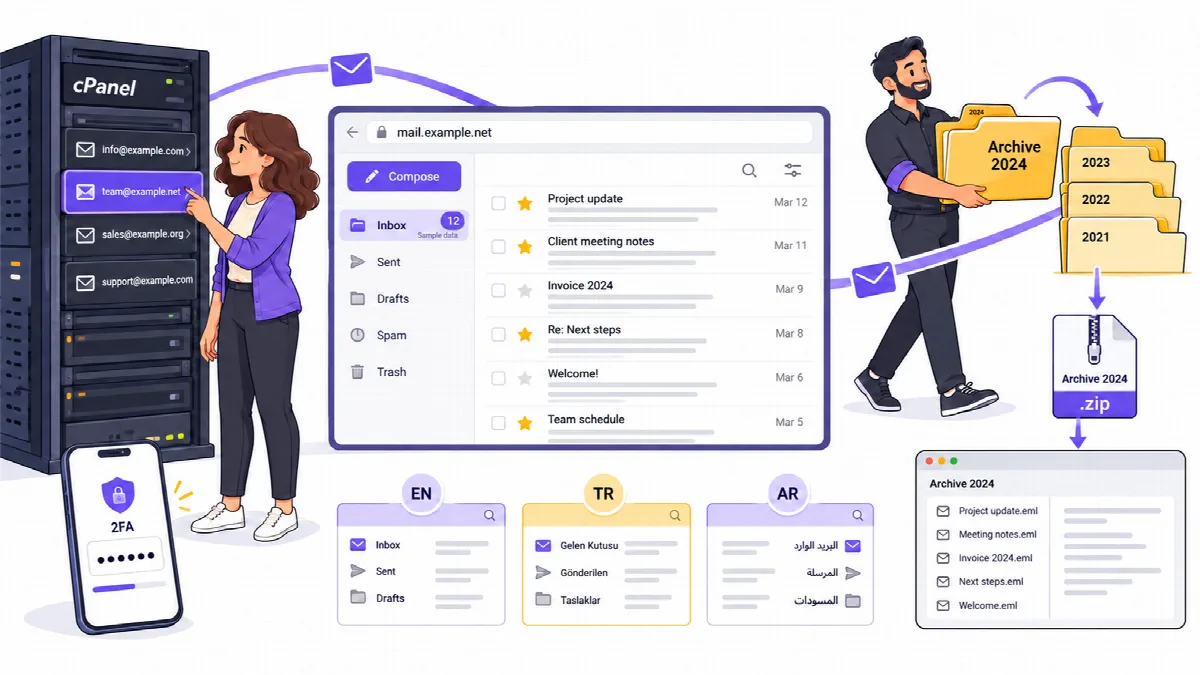
How Mailix works
Mailix talks directly to the mail services your server already runs:
| Service | What Mailix uses it for |
|---|---|
| IMAP (Dovecot on cPanel) | Reading mail and managing folders |
| SMTP (Exim on cPanel) | Sending mail |
| CardDAV (cPanel's address book) | Contacts that sync with phones and computers |
| CalDAV (cPanel's calendar) | The calendar and the invitations in messages |
| cPanel API (UAPI) | Server filters and automatic replies |
Mailix needs no database, no Composer and no PHP IMAP extension. It keeps its own settings in small files. Messages are never copied to another service.
Two installation modes
| Server-wide (WHM) | Standalone | |
|---|---|---|
| Where it runs | Every mail account on the cPanel and WHM server | One domain or subdomain, such as webmail.example.com |
| How users sign in | From the cPanel Webmail screen, signed in automatically | With the full email address and password |
| Where user data lives | In each cPanel account's ~/.mailix folder | In the storage folder set in the configuration |
| Only in this mode | Weekly automatic replies and AI automatic replies, Send later, archives prepared on the server and imports that continue in the background | QR sign-in, offline start screen, app shortcuts, optional server-wide AI key |
Archive, import, two-step verification, the three languages and the installable app work in both modes.
Who does what
- Server administrator (WHM, root): installs and updates Mailix and sets the server options in the configuration file.
- Company (the cPanel account owner) and its managers: connect the company's AI account, can require two-step verification for every mailbox of the company and can reset it for a mailbox that lost its phone.
- Mail users: read and write mail, manage contacts and their own settings, protect their mailbox, and archive or import mail.
Editions and licensing
Mailix is delivered as one edition; there are no Free and Pro versions. One yearly licence covers one server with all its cPanel accounts. From Mailix 1.2.5 the server administrator activates it once with the code from the licence e-mail; mail never depends on it, and when the licence is not active only the AI features pause. See Activate and check the Mailix server licence. Mailix 1.2.4 and earlier have no activation step.
AI features are optional. They use the company's own account at OpenAI, Anthropic, Google Gemini or DeepSeek, and that provider bills the company directly.
About this documentation
This documentation describes Mailix 1.2.9. Menu, button and setting names are written as they appear in the English interface.