
Mailix lets you open any message without letting it run code, and warns you before you click a dangerous link.
How HTML mail is shown
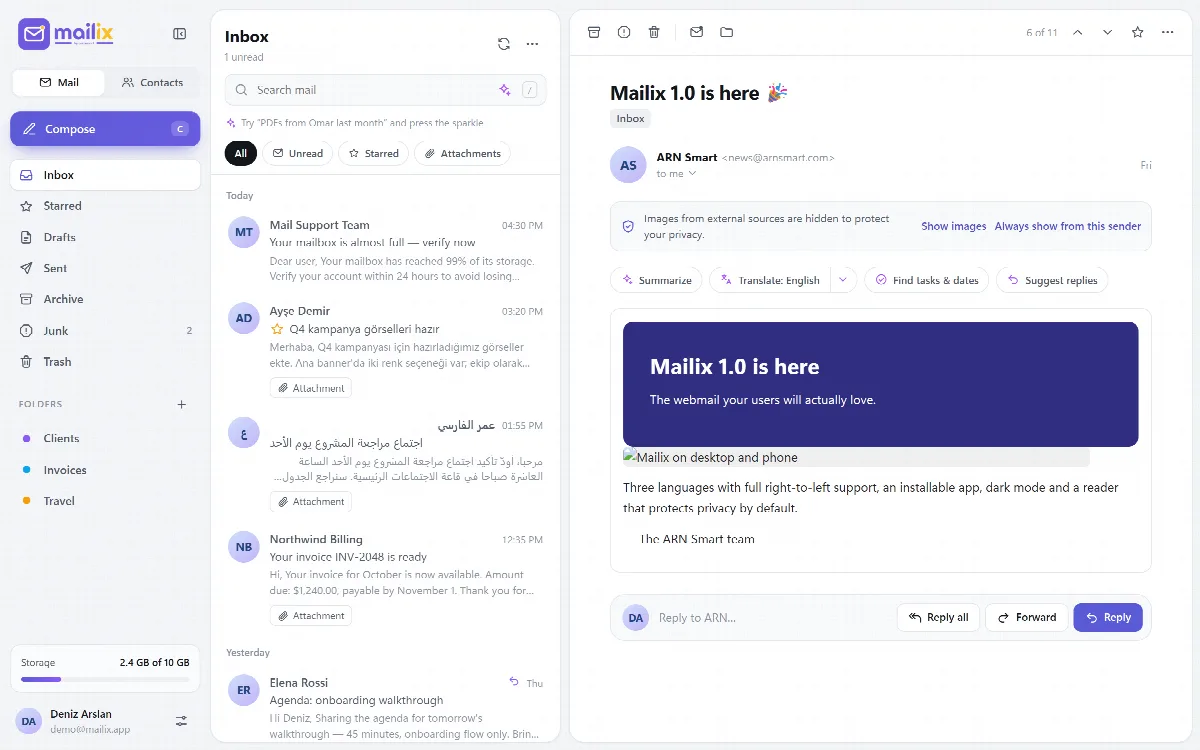
- HTML mail is cleaned on the server against an allow-list before it is shown. Scripts, frames, forms, embedded objects and event attributes are removed, CSS is filtered and links keep only safe addresses.
- The cleaned message is shown in a locked (sandboxed) frame that runs no scripts, so it cannot touch the Mailix page.
- Links in a message always open in a new tab, and the Mailix address is not sent to the other site.
- Only images and PDF files open in the browser. Every other attachment downloads.
External images
Images that a message loads from the internet are hidden by default, because loading them can tell the sender that you opened the message. The notice bar above the message offers:
- Show images: this message, this time.
- Always show from this sender: adds the sender to Trusted senders.
In Settings → Privacy:
- External images: Ask first (the default) or Always show.
- Trusted senders: the senders whose images always load. Remove an address to ask again.
Phishing warnings
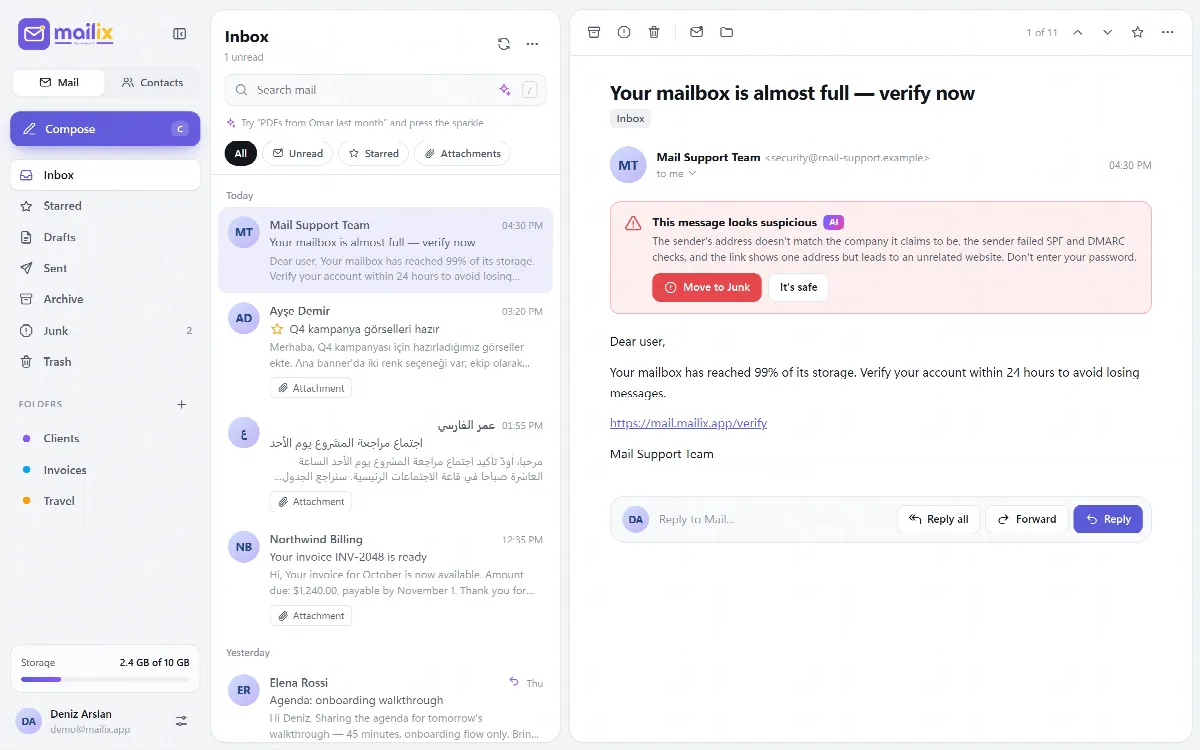
Mailix checks every message you open on the server, without AI, and shows a red warning when parts of the message do not match its sender.
| Signal | Examples |
|---|---|
| Strong | A display name that names another domain or a known brand; a link whose text shows a different domain than its real target; failed SPF, DKIM or DMARC checks |
| Weak | A Reply-To address on another domain; words that ask for passwords together with words that create urgency, in English, Turkish or Arabic |
One strong signal or two weak signals mark a message as suspicious. The warning offers:
- Move to Junk: moves the message to Junk.
- It's safe: hides the warning for this reading.
With the AI feature Phishing warnings on, the AI also explains in its own words why the message may be dangerous. On a suspicious message, the other AI buttons are hidden.
Move suspicious messages to Junk instead of opening their links or entering your password.
How Mailix protects your data
- Your mail password is encrypted in the server session with AES-256-GCM. The key lives only in a separate browser cookie, so the session file alone reveals nothing.
- Every change carries a check that the request really came from the Mailix page.
- Failed sign-ins are limited per IP address and per mailbox.
- The two-step verification secret and the company AI key are stored encrypted; recovery codes only as one-way hashes.
- Mailix uses no tracking or advertising cookies.
Settings → Mailix holds About, Terms of use, Privacy policy, AI notice and Third-party software in English, Turkish and Arabic.